
Top
UserTesting | B2B CWM

Interactive Path Flows

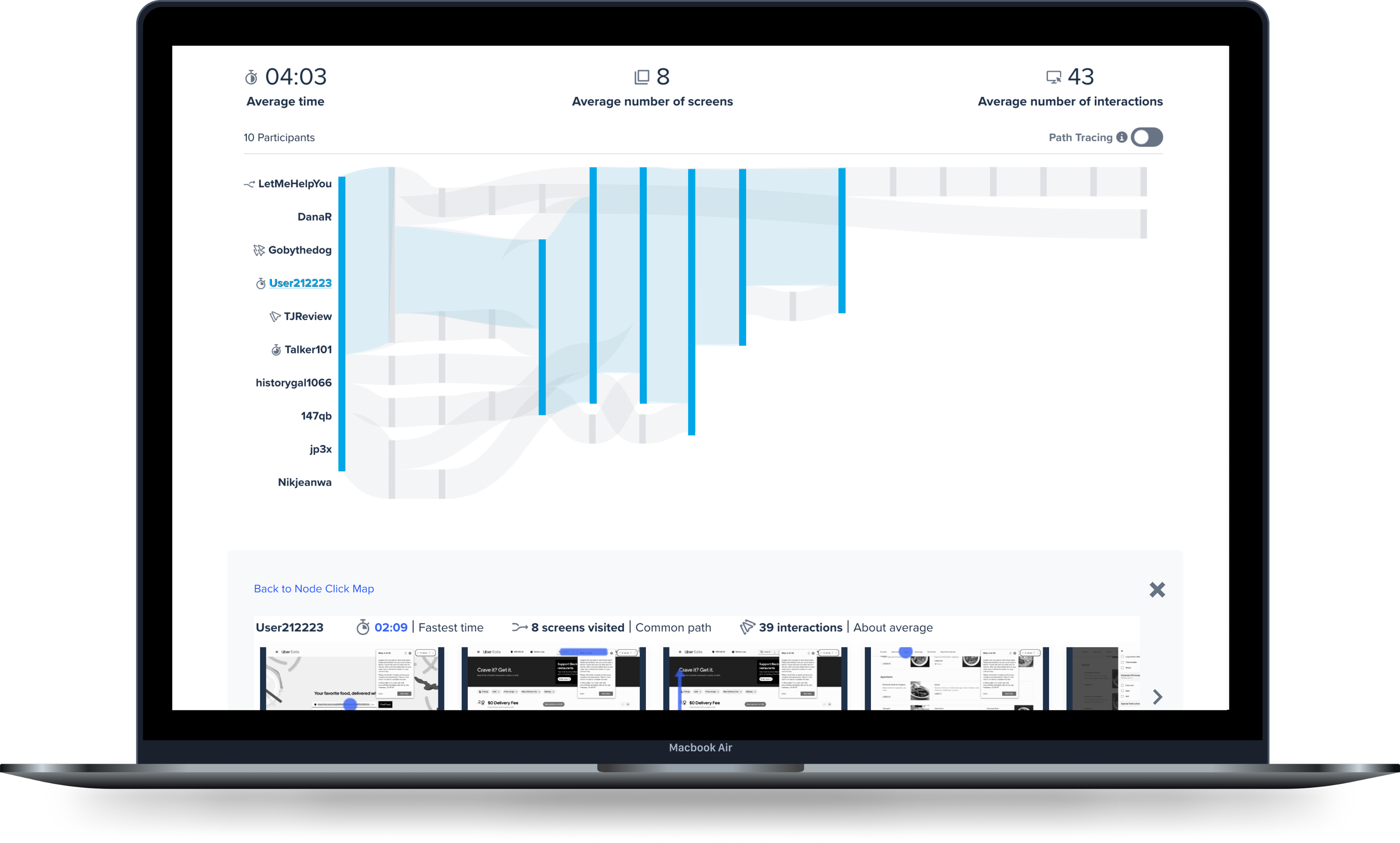
Interactive Path Flows (IPF) was created to bridge the gap between quantitative and qualitative experience testing.

It saves B2B users hours by aggregating interaction data across multiple participant sessions into a flow visualization, surfacing unexpected behaviors, and linking to their corresponding video segments.

Instead of watching videos sequentially, researchers can use the flow visualization to navigate directly to the moments worth watching—increasing speed to insight.

PROJECT AT-A-GLANCE

MY ROLE Senior Product Designer
PROJECT TYPE 0→1 Product Design
Interactive Data Viz
AI Design
IMPACT Patent Awarded
Top performing feature
Reduced Hours of Analysis to Minutes

Context

Initial State

Following the acquisition of Truthlab (where I worked as Founding Designer) and Apropose, UserTesting formed an Insights team that merged key team members to define, design and build Interactive Path Flows (IPF). Each of the three companies had its own version of a path flow product experience. My role was to understand the existing experiences, collaborate with the Product Leader and Engineering Lead to evolve the experiences to meet the needs of a sophisticated UserTesting audience.

Requirements

Given UserTesting’s loyal customer-base, modifying the product experience in any way required a careful and strategic approach that would have little to no impact on the existing product features. Rather, the IPF needed to seamlessly integrate with the Metrics Page experience. There would be multiple phases of design and development, including the MVP, a visualization to aggregate research participant behaviors as well as enable fast access to video moments of insight; Click Maps, NLP sentiment overlay, NLP sentiment packing, NLP & Intent Ontology integration.

Customer Research

Extensive concept research had been conducted by me at Truthlab as well as the teams at Apropose and UserTesting. We leveraged this research to define customer pain points and establish the need to save users time with research analysis tasks. Having developed the concept to aggregate behaviors, we continued to gather concept feedback through multiple moderated interview sessions that two researchers, a Product Leader, and I conducted collaboratively and independently. We further conducted both moderated and unmoderated testing of Figma prototypes that I created.

Business Objectives

At the time, UserTesting was in a high-growth period, considering an IPO. It aimed to innovate and advance its technology in a way that supported its core user in order to strengthen its role as a leader in the remote user research market. To do this, it made a big bet on building its in-house machine learning expertise and aimed to develop it across the organization to produce novel qualitative research insights to customers at a speed not previously attainable.

Customer Pain Points

01 | Hours of time to insights

UserTesting’s primary users include researchers, product managers and designers. In order to gain an understanding of their users’ needs, they conduct moderated and unmoderated interviews, which consume hours of their time and often introduce friction for teams with tight deadlines. Given the need for urgency, the analysis phase of research can be even more heavily scrutinized.

Customer POV
Likes

Research sessions are recorded and include a transcript that I can refer to.

Dislikes

Finding research insights is like looking for a “needle in a haystack.”

Needs

A fast way to identify and recall key moments in research sessions.

How might we reduce the time it takes for users to discover important moments that lead to insights?

KEY CONSIDERATIONS

First-Click Aggregation

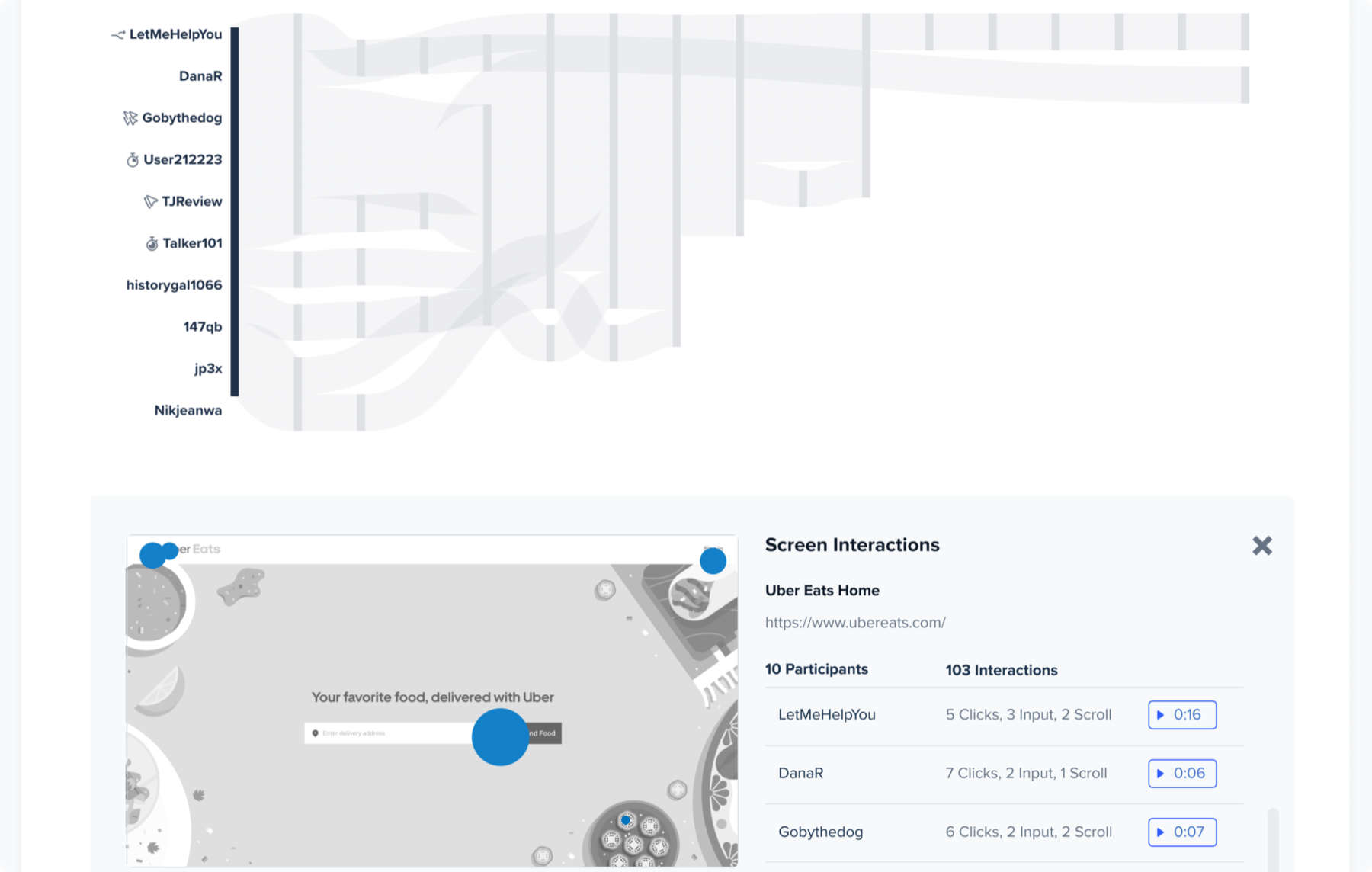
Sankey diagram aggregating participant paths
Time Savings Visual Summary

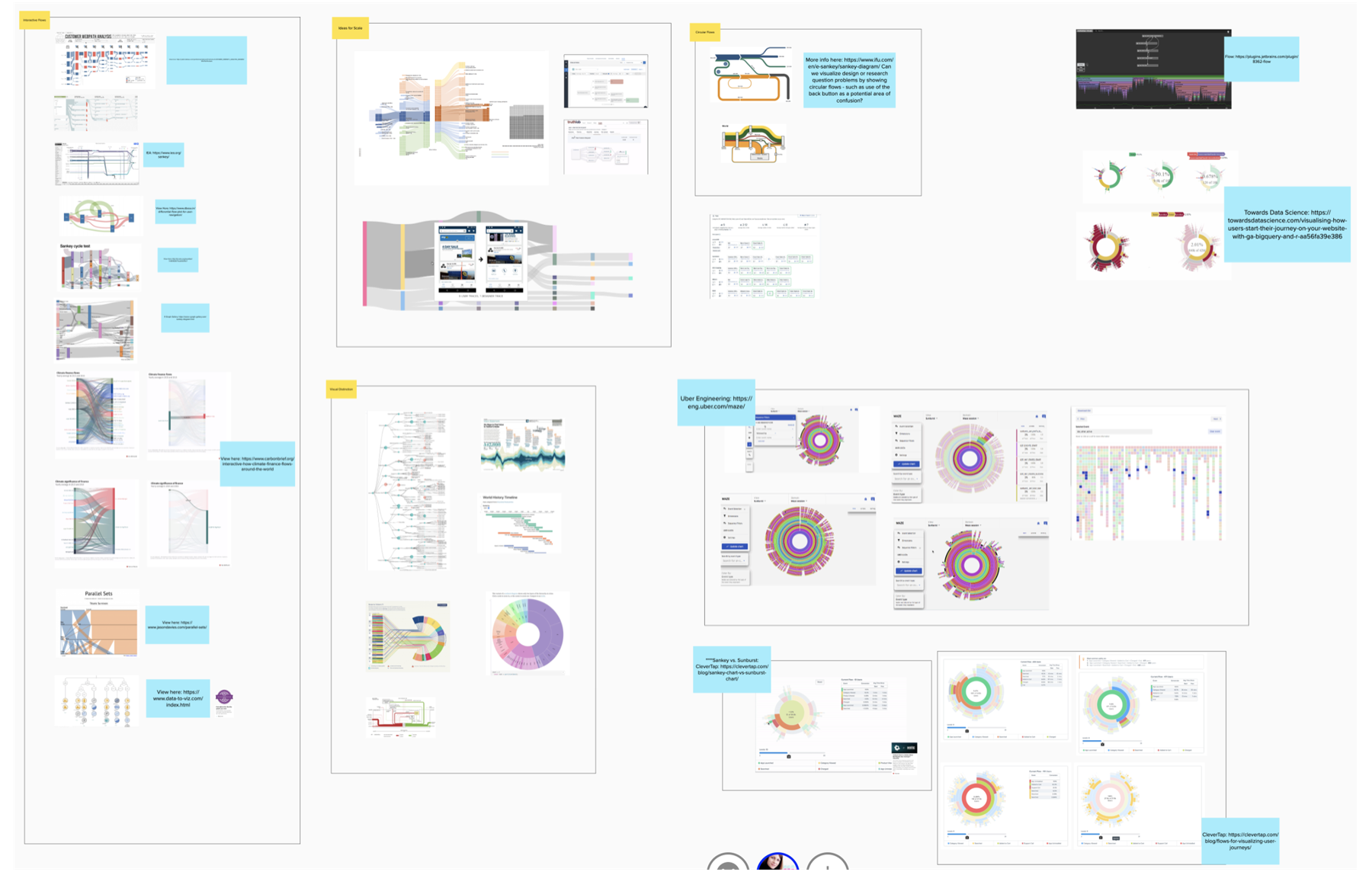
Our new team agreed the visualization should mimic the participant flow through a task, yet we decided to explore and test alternatives, including Sunburst and Heat Maps, with actual users to understand which aggregation method best resonated with them. We learned that users often analyze the rate of success based on a participant’s “first-click”, making this critical to communicate. The Sankey diagram excelled at communicating key points of diversion in a flow, which deeply resonated with our users.

Drilling Down
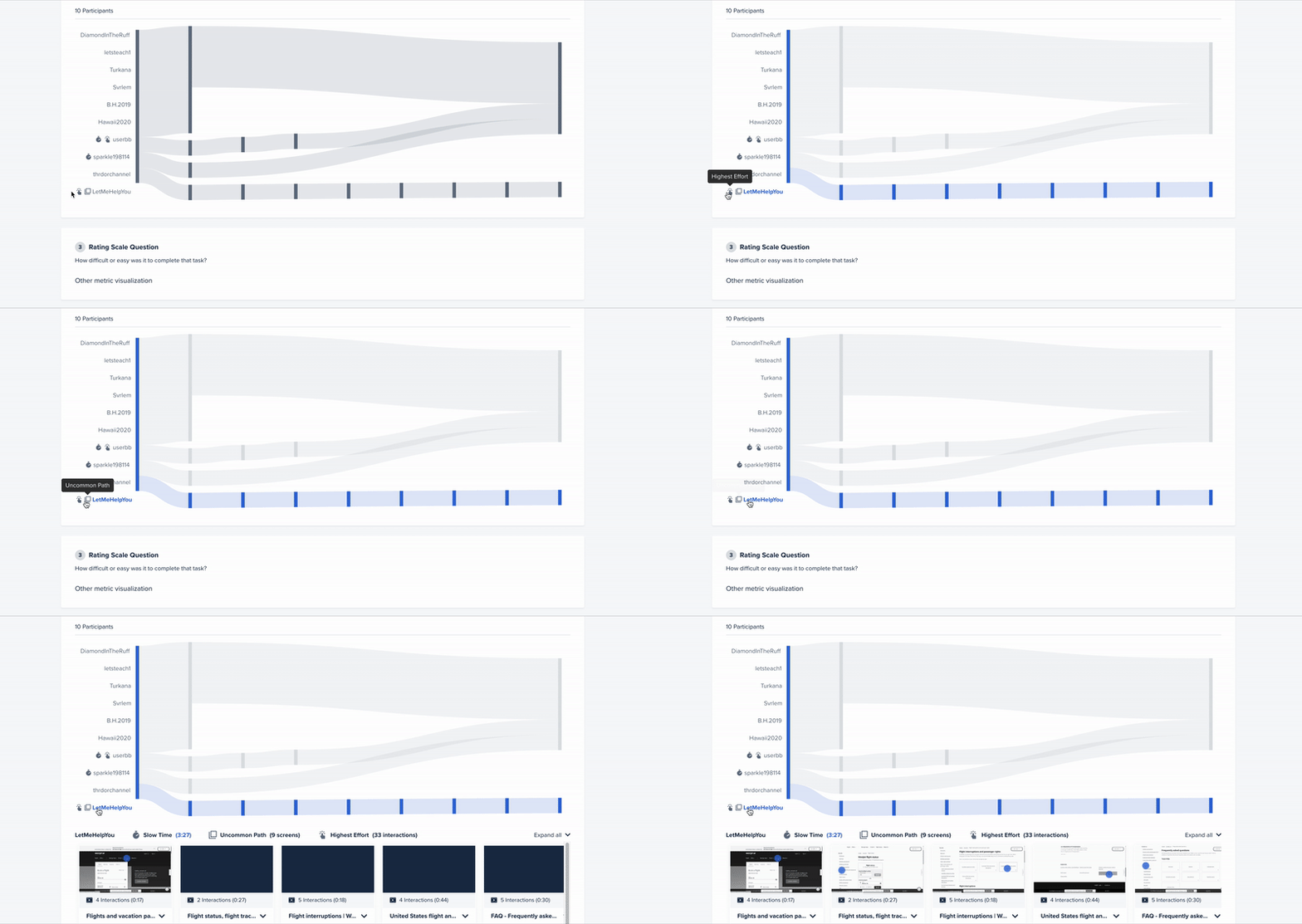
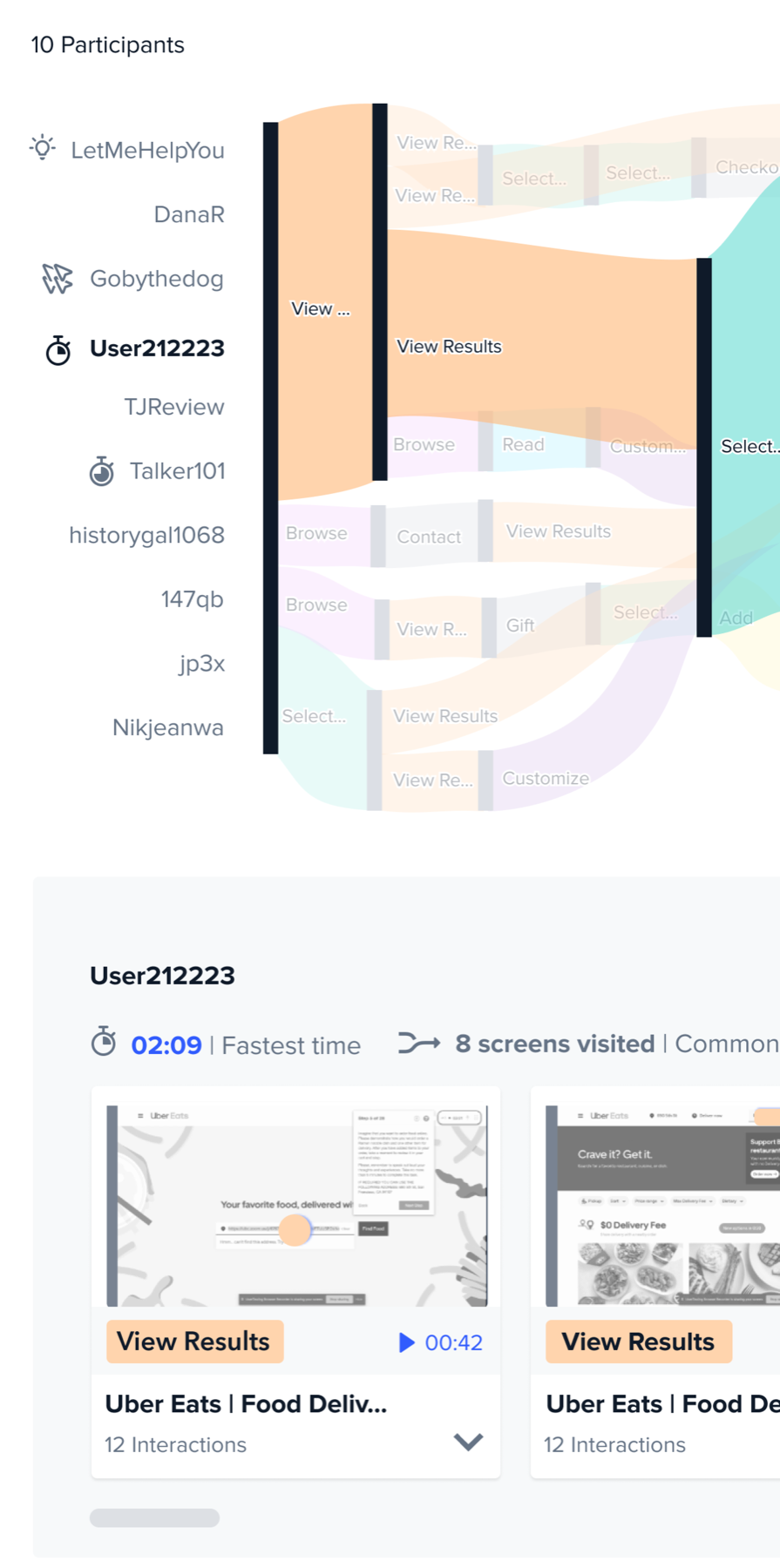
Opening the drill-down view of a single participant’s flow
Time Savings Increase Clarity

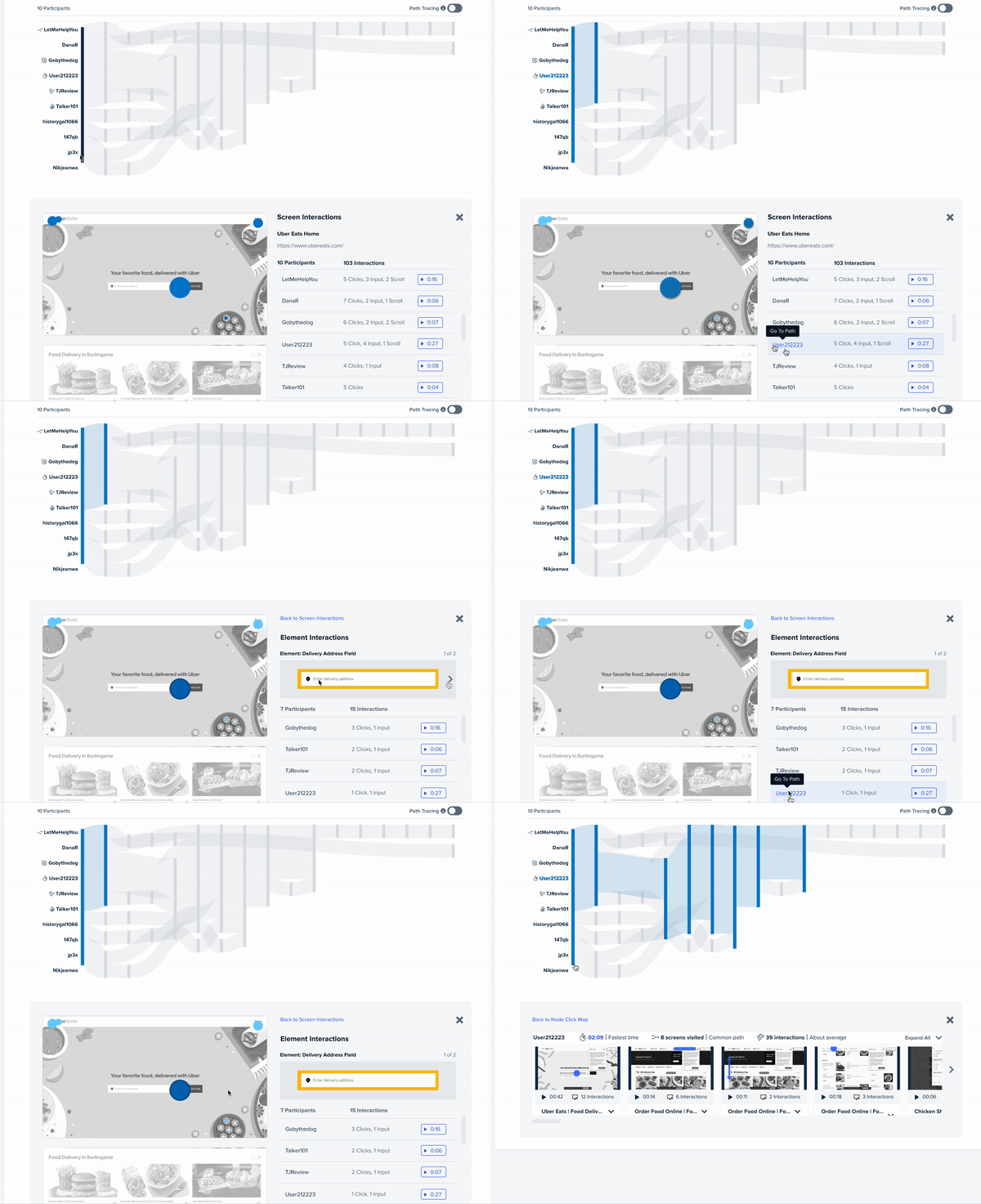
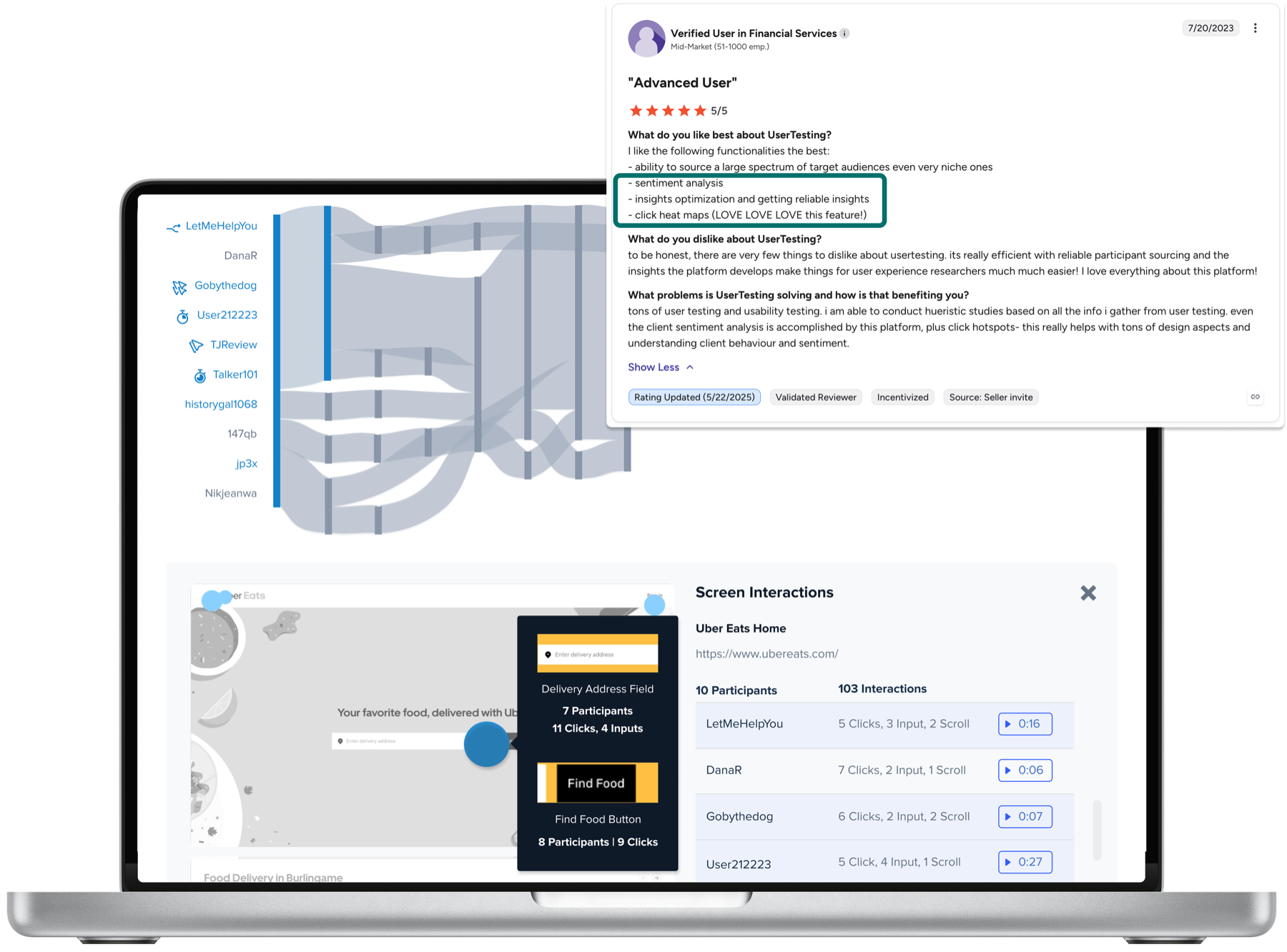
While testing demonstrated that the Sankey Diagram was the most effective at communicating research participants path, users still wanted to know more about the specific interactions participants took at each step. I designed a “drill-down” interaction pattern that enabled users to select individual participants to surface their screen by screen flow with interaction markers overlaid on the image and a list of interactions displayed below the image for additional clarity.

Video Integration
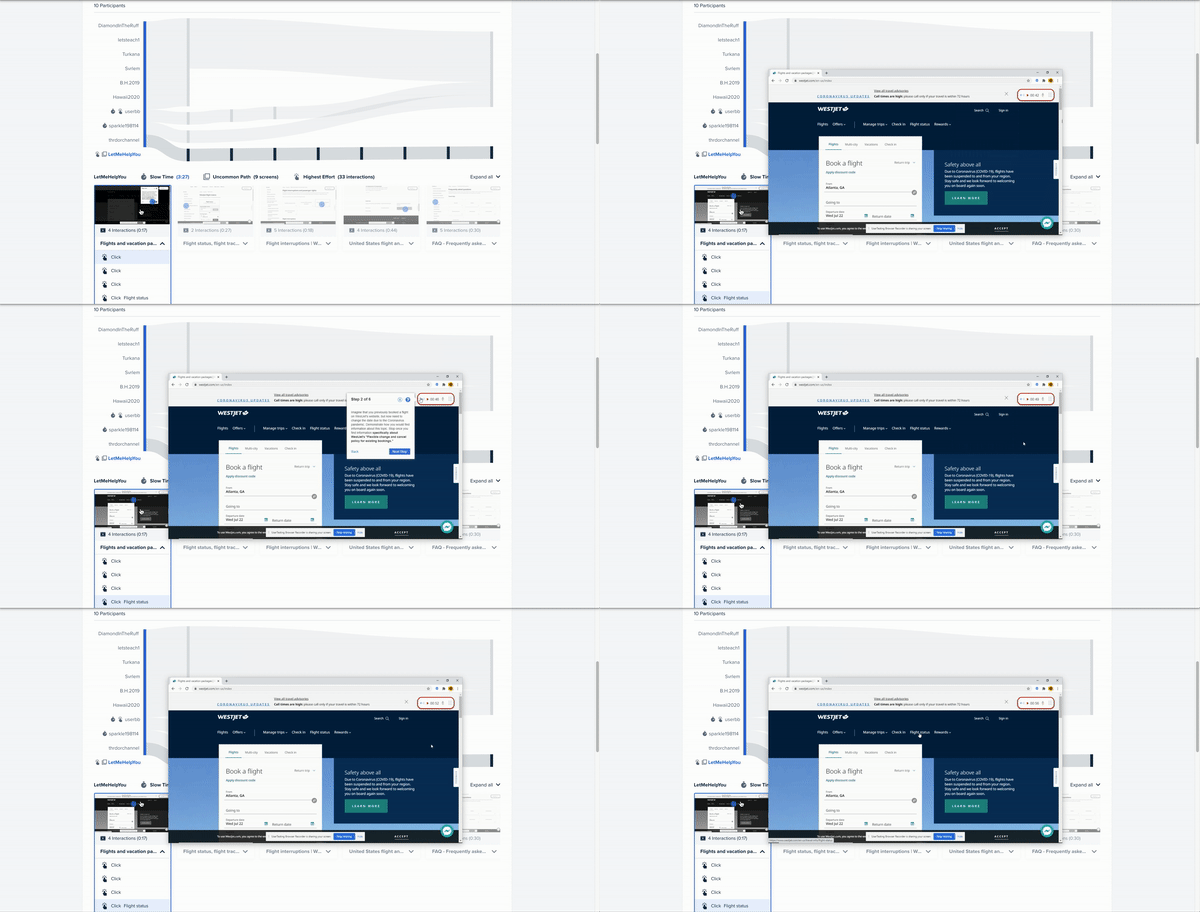
Opening a video modal at the moment of interest
Time Savings Development Savings

Seeing behaviors in aggregate offered potential to save analysis time, but users feared aggregate results would not be enough to align their stakeholders. Users explained that they often needed direct quotes from participants to illustrate the impact of real human experiences. They wanted to access the exact video moments and transcript from the IPF experience. I designed a button to open a modal window of the video player that would start at the moment of interest.
02 | Inability to spot behavioral patterns

Observing participant recordings is essential for researchers to be able to empathize and understand individual participant’s pain points in detail. At the same time, these recordings are individual instances and may not warrant further examination if occurring in isolation. To understand the overall significance of individual behaviors, users manually extrapolate and document interaction instances into a comprehensive summary to identify behavioral patterns, if any, which requires substantial time and effort.

Customer POV
Likes

Participant videos offer deep individual participant insights.

Dislikes

It is arduous and time consuming to compile insights.

Needs

Overview of all behaviors to understand insight significance.

How might we aggregate research participant behaviors so that users can understand their impact?

KEY CONSIDERATIONS

Path + Behavior

Path flow paired with participant behavior
Increased Clarity Systems Thinking

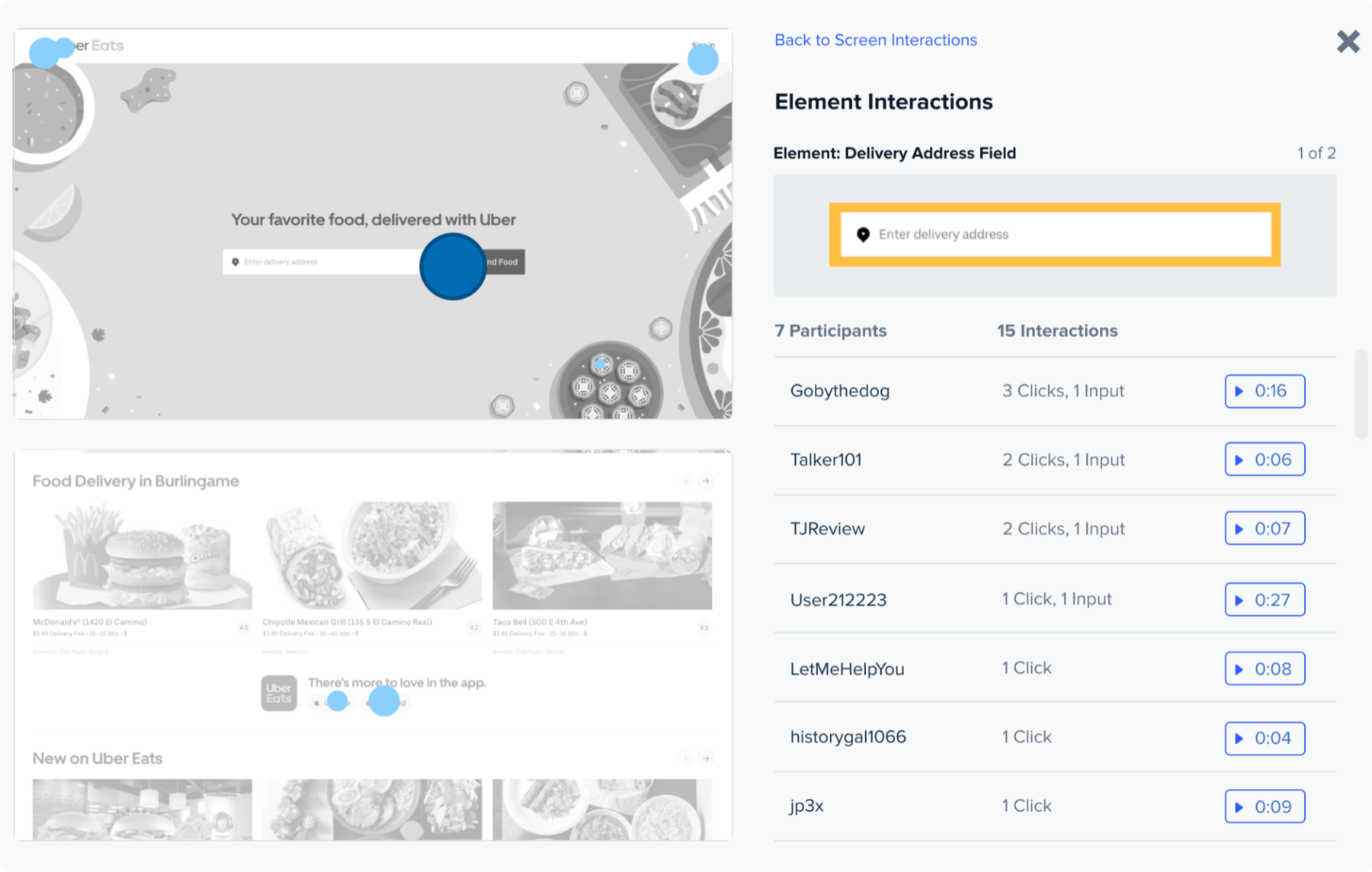
The Sankey diagram visualizes common and diverging paths of participants completing a task in aggregate, but the participant interactions on a specific step of the task are just as important to communicate in aggregate. My design is consistent with the participant progressive disclosure patterns, where selecting a node on the Sankey diagram opens a “Click Map” for the page including all participants’ interactions.

Behavior at Scale

Drill-down list of participants who took the same action
Scaling Insights Systems Thinking

Explorations quickly revealed that a single interaction could be taken by multiple participants and testing showed that the ability to identify each participant was essential for our user’s analysis process. To support this I leveraged selection patterns I designed for the Sankey diagram. Selecting the interaction on the Click Map surfaces a list of participants with the same behavior and a direct link to the recorded moment of interaction.

Data Relationships

Exploring a Click Map alongside the path flow
Systems Thinking Increase Clarity

Pairing IPFs and Click Maps increased both the richness of the experience and the complexity. Contrary to a typical start and end flow, users needed to traverse the data to compare and consider multiple scenarios. Given this, I designed several mechanisms to explore the multiple contexts of the data, including hover, controls for unique views of data, close buttons, back buttons and using the data itself to navigate information.

03 | Inability to identify motivations in aggregate

Video recordings of research participant sessions not only provide deep understanding of behaviors, but also insight into participants’ intent and sentiment that may relate to their motivations. Motivational indicators help users understand why a participant may take a certain action and behave one way or another, which is the crux of qualitative research. At the time, motivational indicators were available only through watching hours of recorded sessions.

Customer POV
Likes

Participant videos offer deep insights into motivational factors influencing behaviors.

Dislikes

Finding motivational indicators related to behaviors in videos is time consuming & complex.

Needs

Overview of motivational indicators to gain insight into behaviors.

How might we aggregate NLP sentiment and intent ontology indicators so that users can gain insight into participant behaviors?

KEY CONSIDERATIONS

Sentiment + Interactions

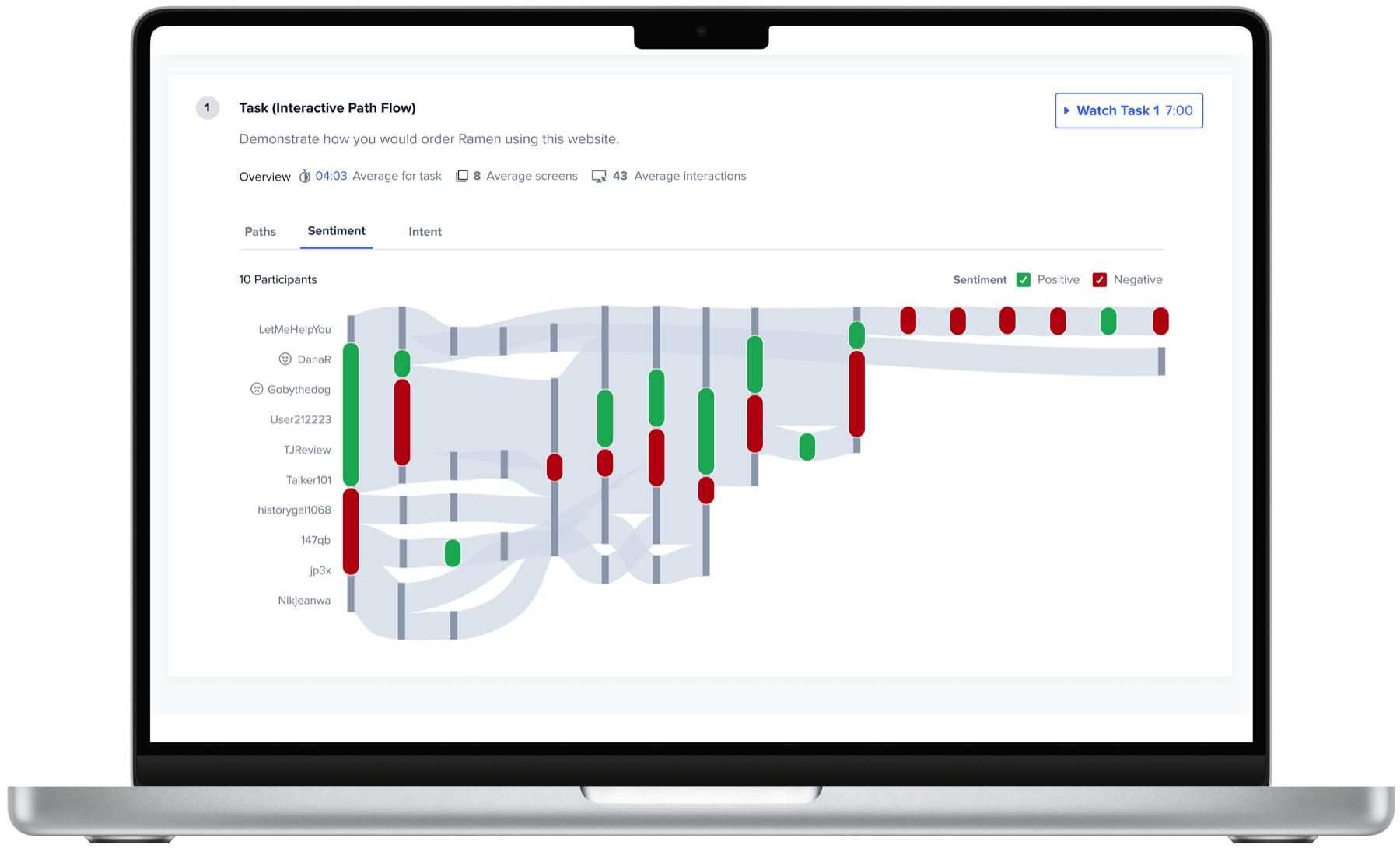
Sentiment overlaid on the path flow
AI Alignment Systems Thinking

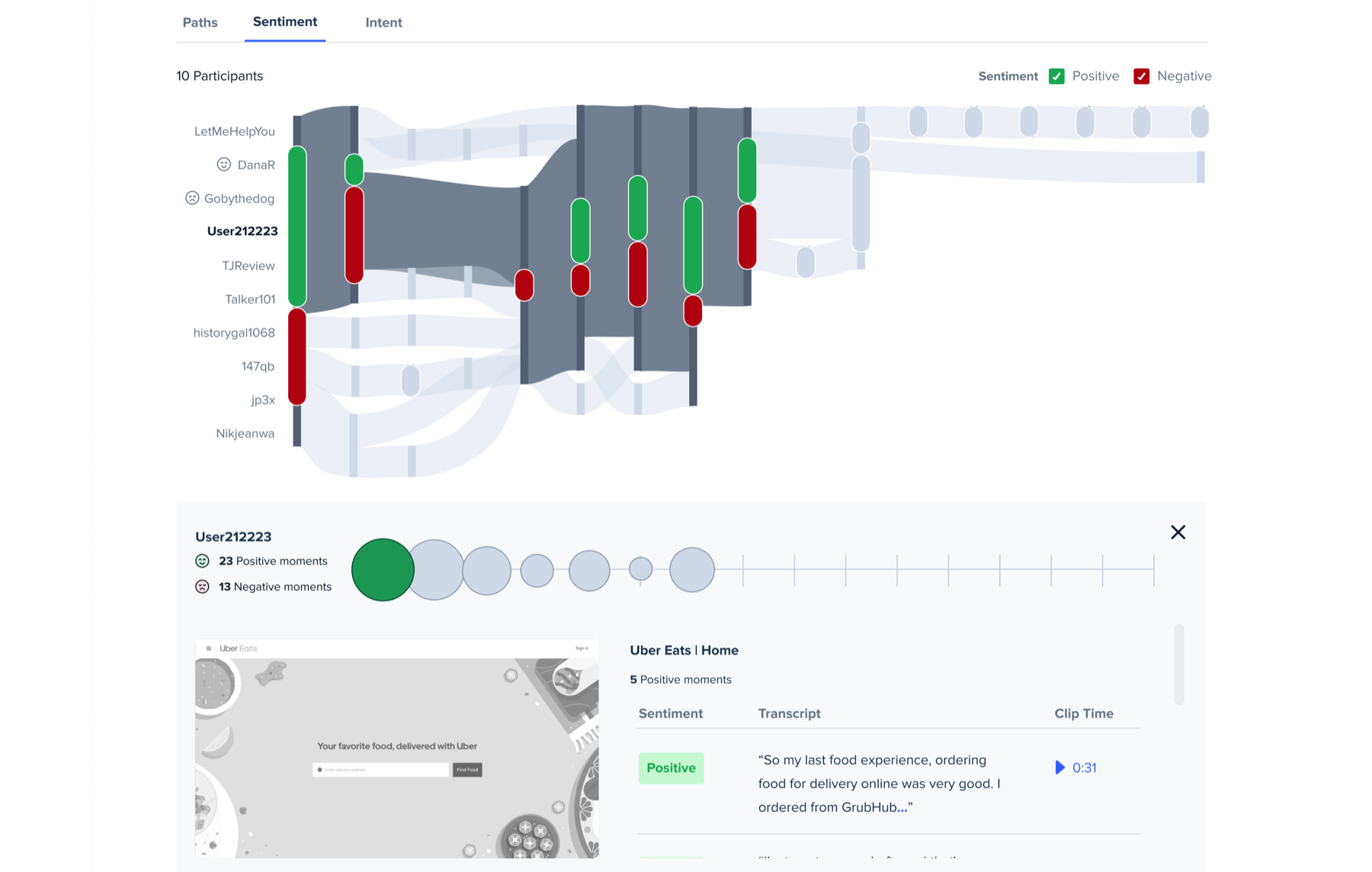
Feedback from testing my sentiment design explorations demonstrated that visual representations of sentiment needed to be closely paired with interactions users took. This enabled me to leverage existing patterns and overlay sentiment indicators on the IPF. By overlaying sentiment with behaviors, users could identify potential correlation between interactions, flows and outcomes. I layered in a sentiment drill down experience so that users could get to precise sentiment moments.

Intent + Interactions

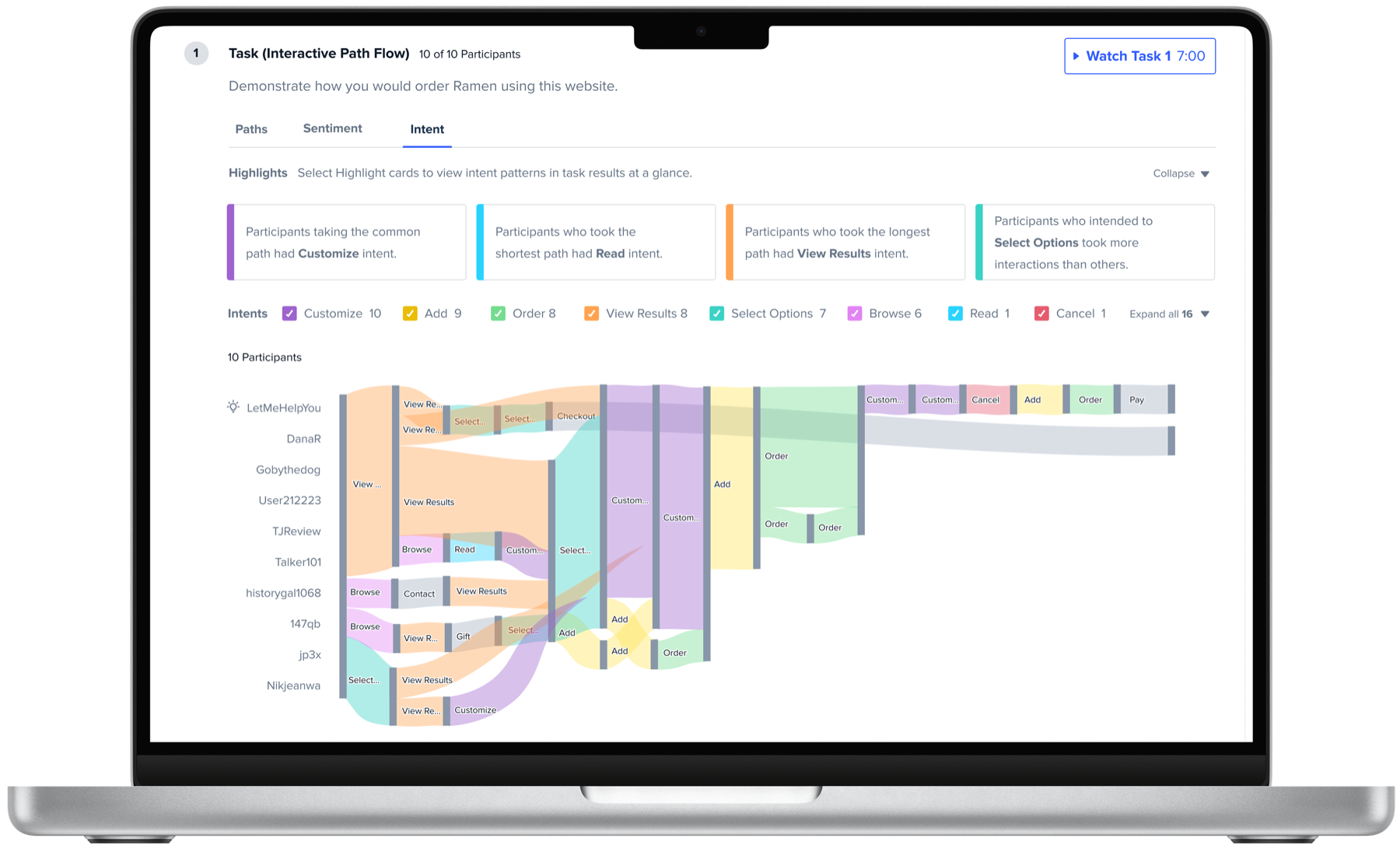
Intent indicators visualized on path flow edges
AI Alignment Systems Thinking

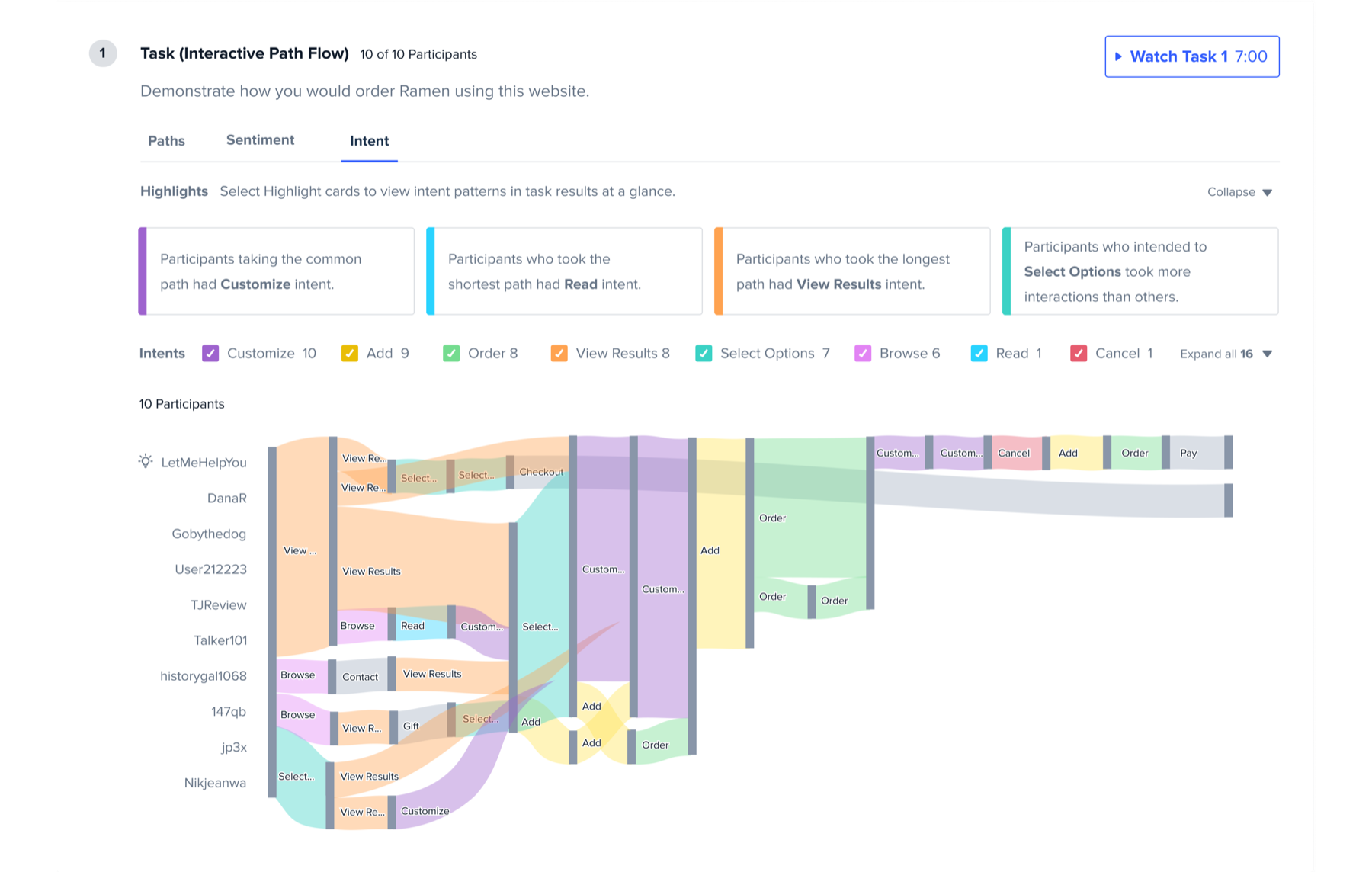
Similar to Sentiment, Intent indicators needed to be closely paired with user interactions so that users could identify potential correlation between interactions, flows and outcomes. With research, we found that the CTAs closely corresponded with participant intent and we used CTA terms to create a baseline ontology. While Sentiment was related to users experience on a page node, Intent was closely tied to action leading to a next step. This led me to visualize Intent on IPF edges between nodes.

AI Feedback Patterns

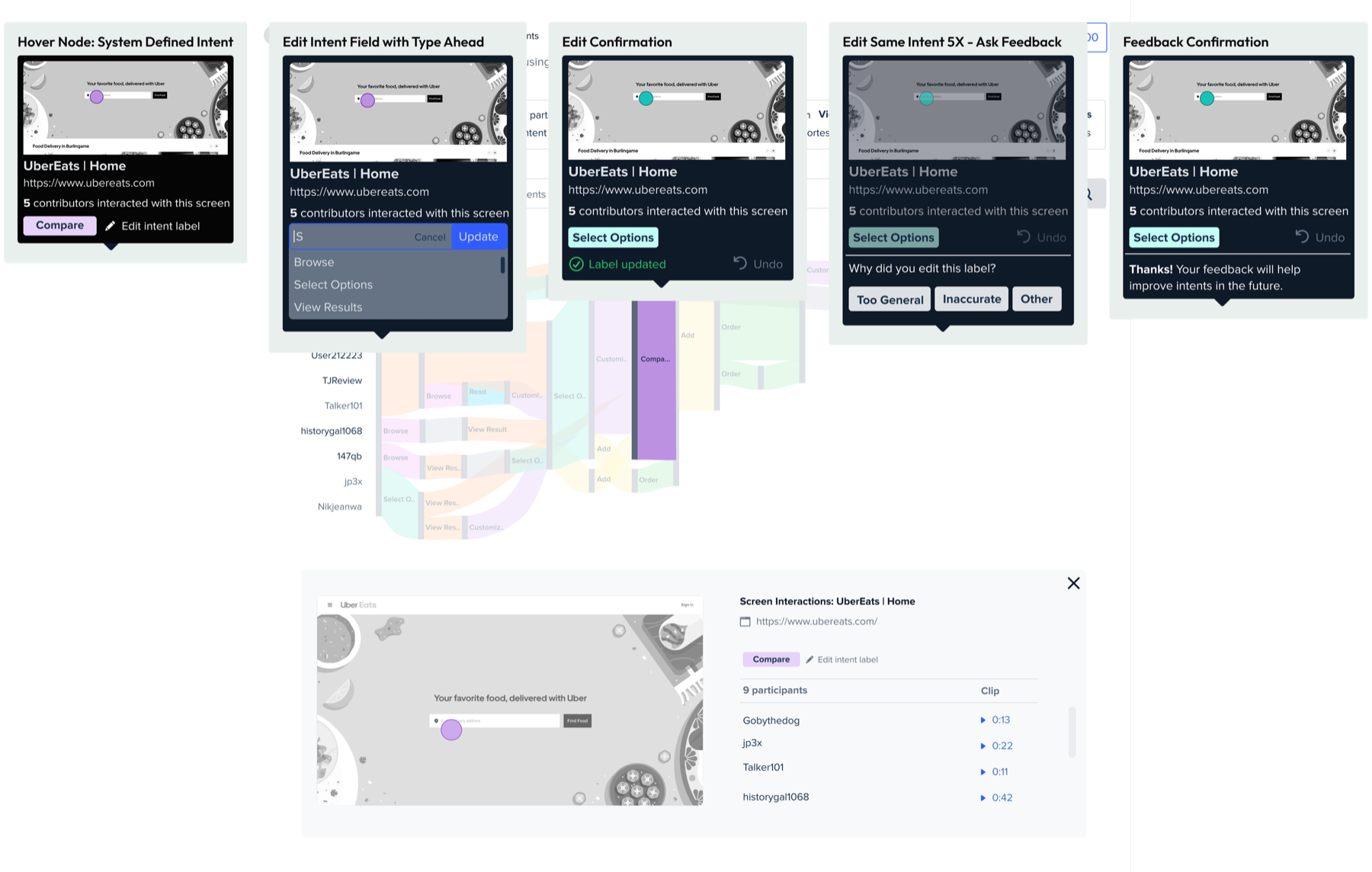
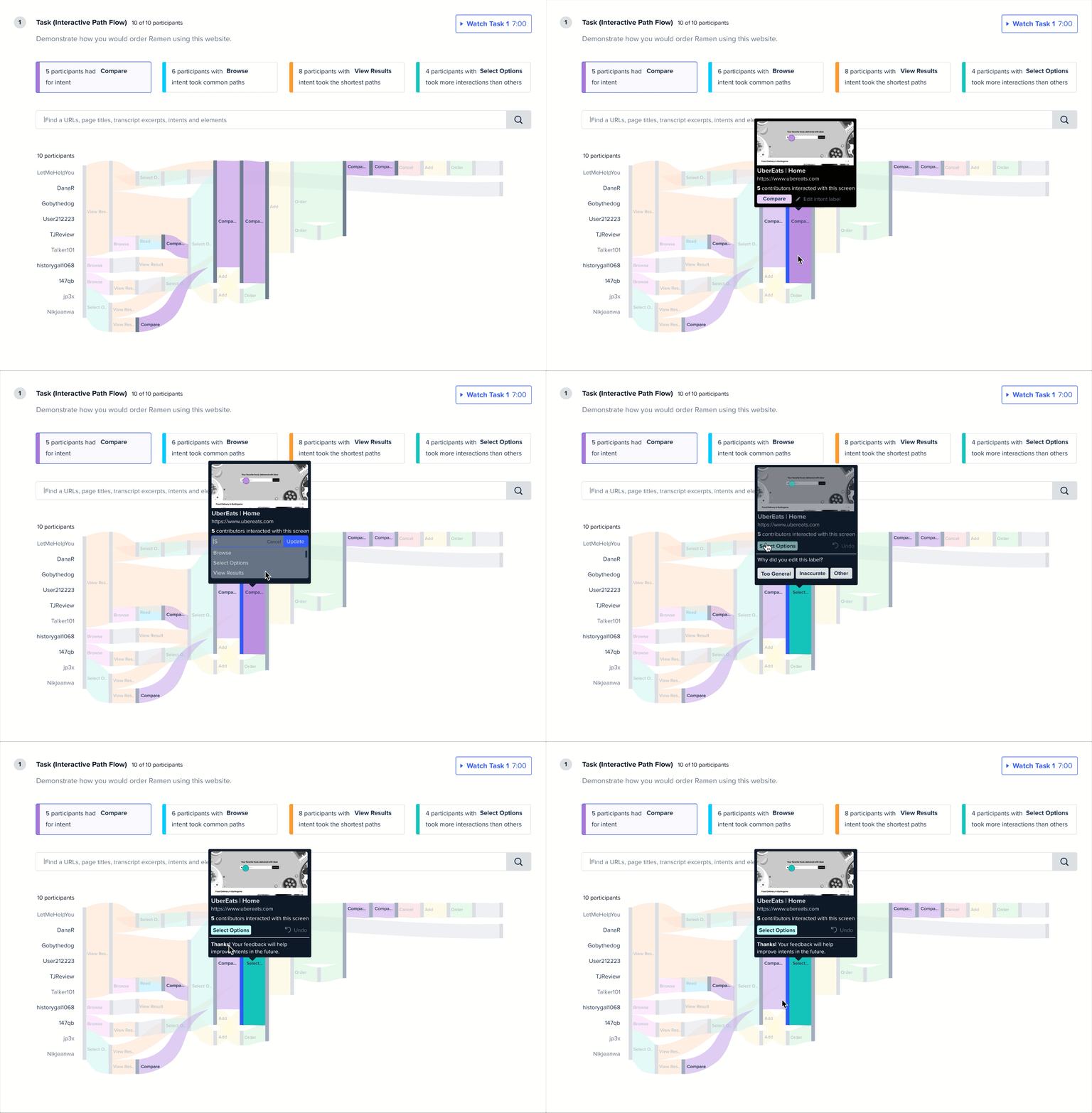
Editing an Intent label and giving AI feedback
User Control AI Model Training

I designed a mechanism for users to edit Intent labels on the tooltip or drill down view as needed, which also served to capture implicit user feedback. My hypothesis was that if a user edited the same intent label three or more times, there was a potential inaccuracy with the Intent. We tracked the implicit feedback of the Edit action and asked for explicit feedback after editing the same label multiple times. I purposefully designed a simple selection pattern to encourage engagement.

Bringing It All Together

Interactive Path Flows became a leading feature that set UserTesting apart from competitors in research analysis capabilities and experience. The experience earned a patent; and, it saves users hours in research time, which enhanced the product’s value to customer and investors. I designed an innovative experience that aligned extensive data in a clean visual pattern and interactive hierarchy that simplifies research analysis and saves users hours of time.

For more information on this experience, read the initial launch article from our Product Leader, a Knowledge Base article or watch this related video from UT Solutions Consultant Team. (Please note that some of the external references include features like “Generate Insights” that are not part of my work and some additional features added post my time at UT. There are also some visual treatment differences that a talented junior designer helped with post launch that I do not reference here, such as +/- sentiment markers and applying a donut chart pattern to the circle packing visualization.)

Sentiment on the path flow by default

Insights At-A-Glance

I aligned AI Sentiment to task step nodes saving hours of analysis time

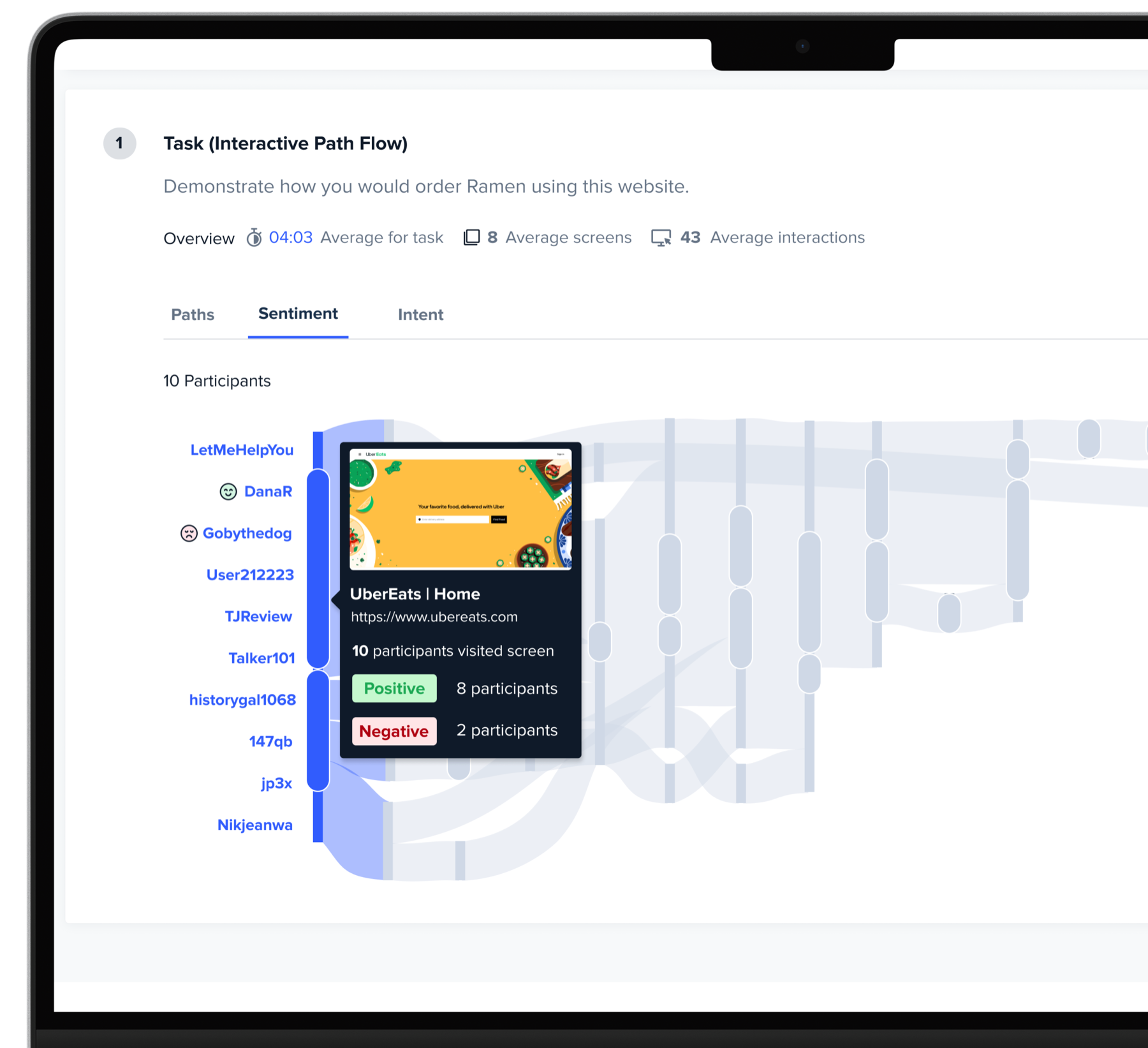
Hovering a node to reveal sentiment data

Speed to Insights

Hovering surfaces another layer of data without the need to navigate

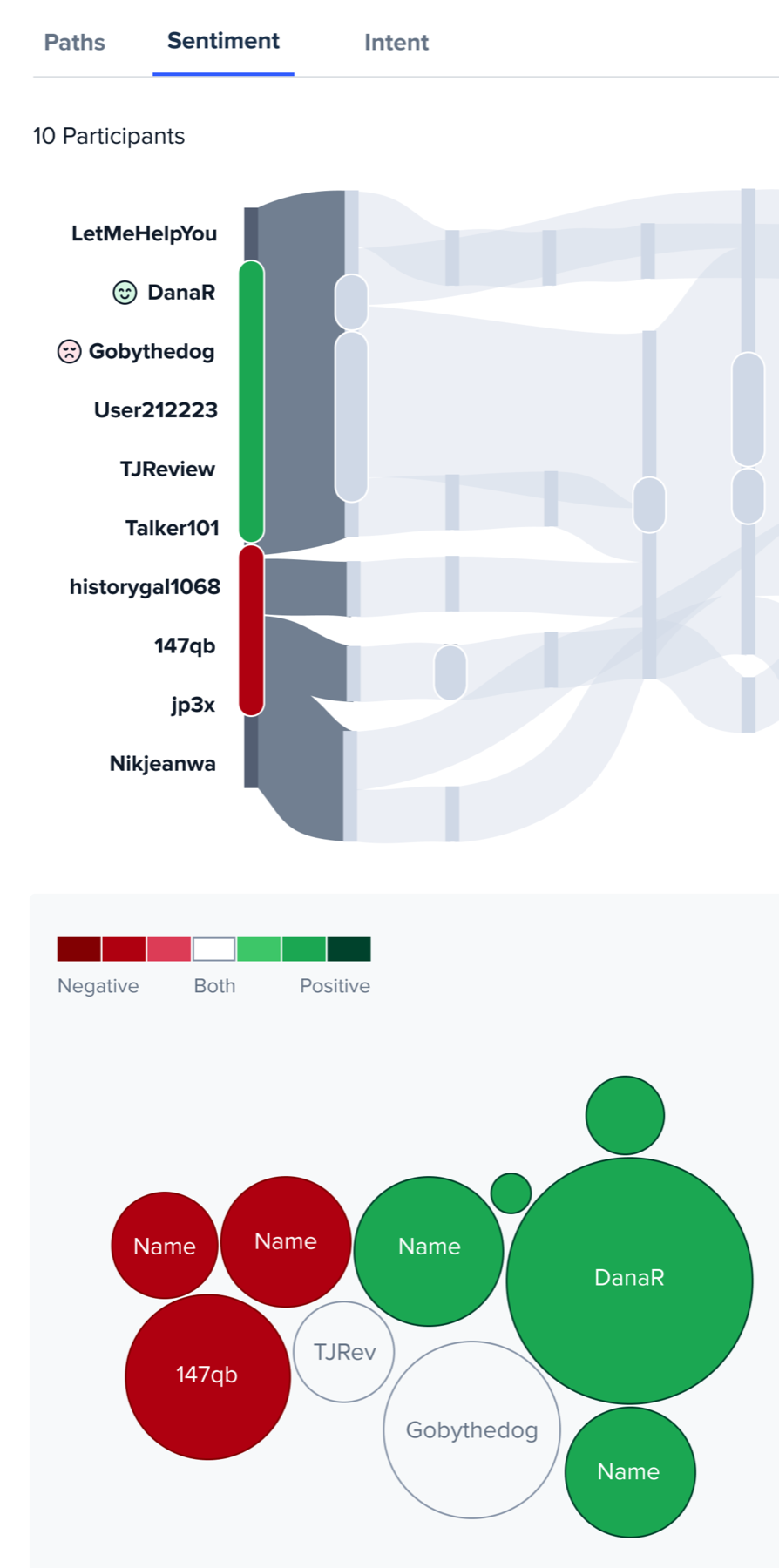
Selected node with sentiment circle packing

Comparative Data

Selected nodes visualize diverging sentiment - circle packing for scale

Reviewing participant flow and insights

An Experience Users Love

My design enabled Insights in seconds vs hours watching videos

Editing an Intent label and sharing feedback

User Control & AI Feedback

I enabled users to edit misaligned Intents & train AI with feedback.

Selecting an Intent to see its participants

Fast Participant Analysis

My design pairing actions & Intents enabled insights on motivations

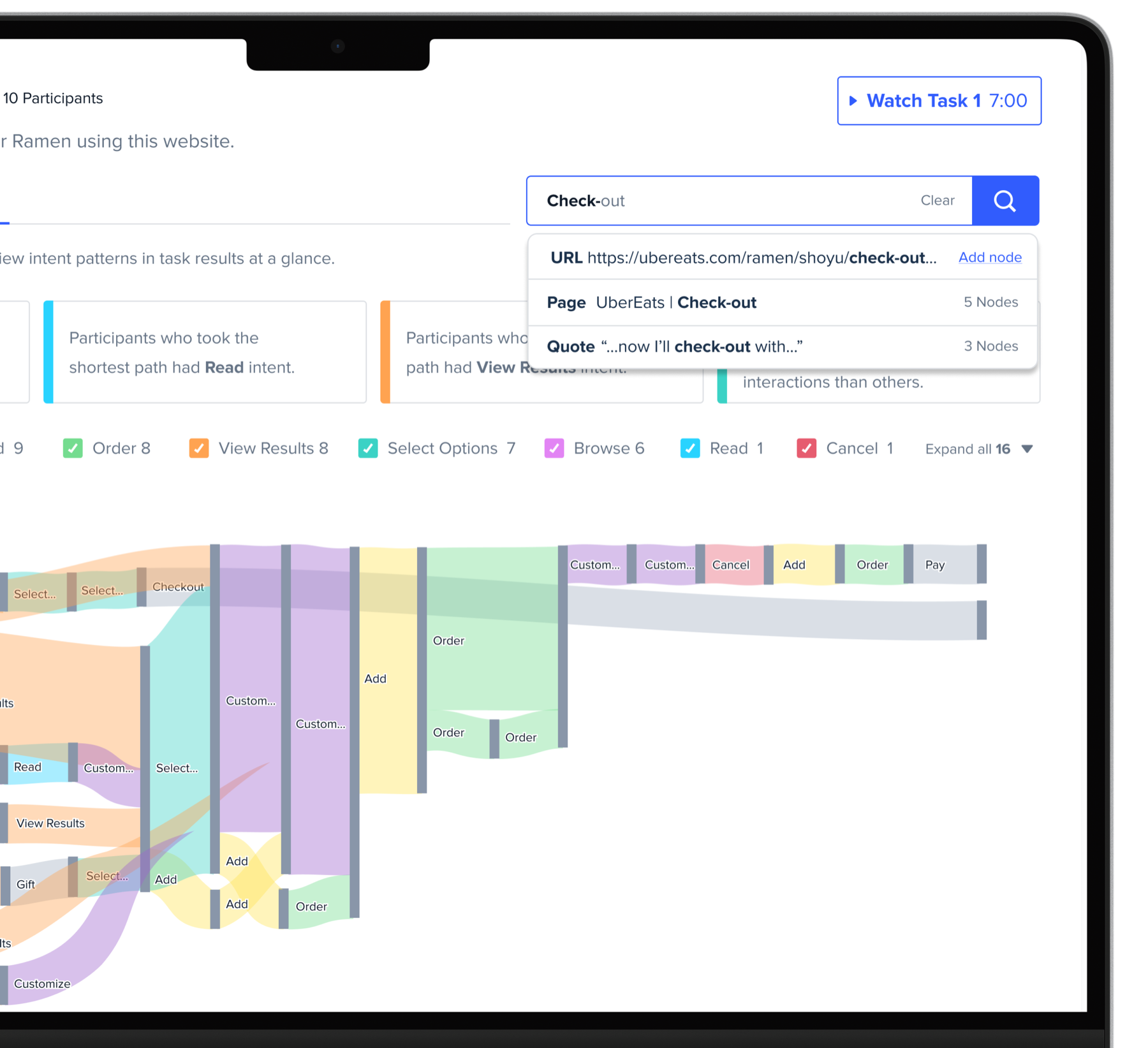
Intent indicators on the path flow by default

Hierarchy

Highlight Cards enable quick views & max eight Intents prioritizes data

Searching across all issues

Saving Time with Search

I designed search patterns to enable access to specific issues

More Case Studies

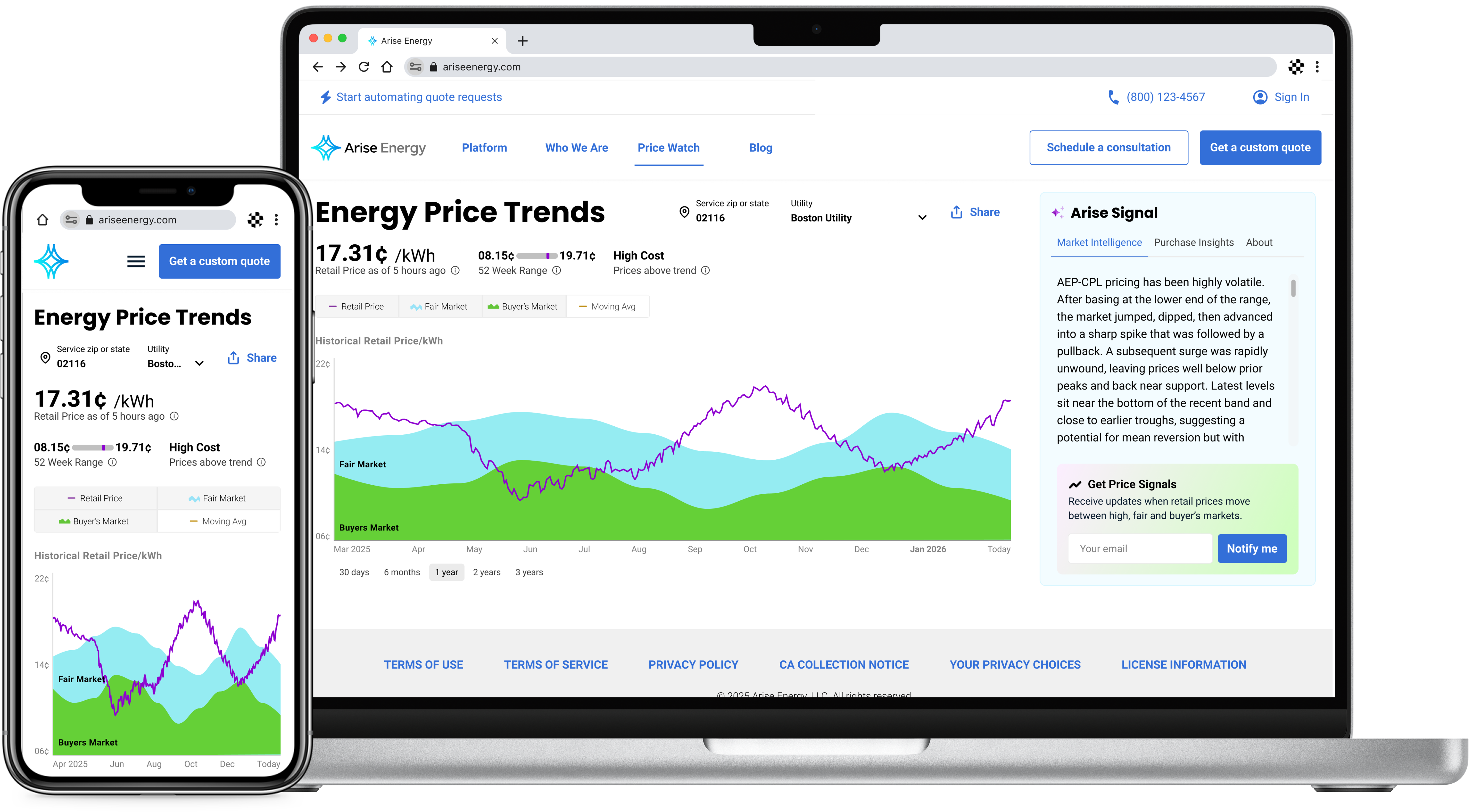
Price Watch case study
Arise Energy | B2b Growth

Price Watch

Enabling thousands in savings for SMBs with a first-of-its-kind pricing research tool

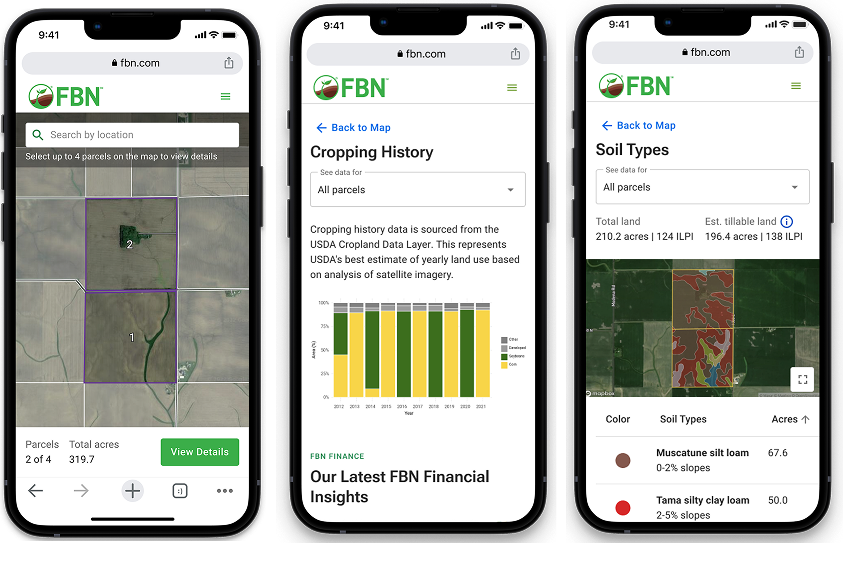
AcreVision case study
FBN | FinTech Growth

AcreVision

Leading cross-functionally to strengthen UX for a farmland research & valuation tool

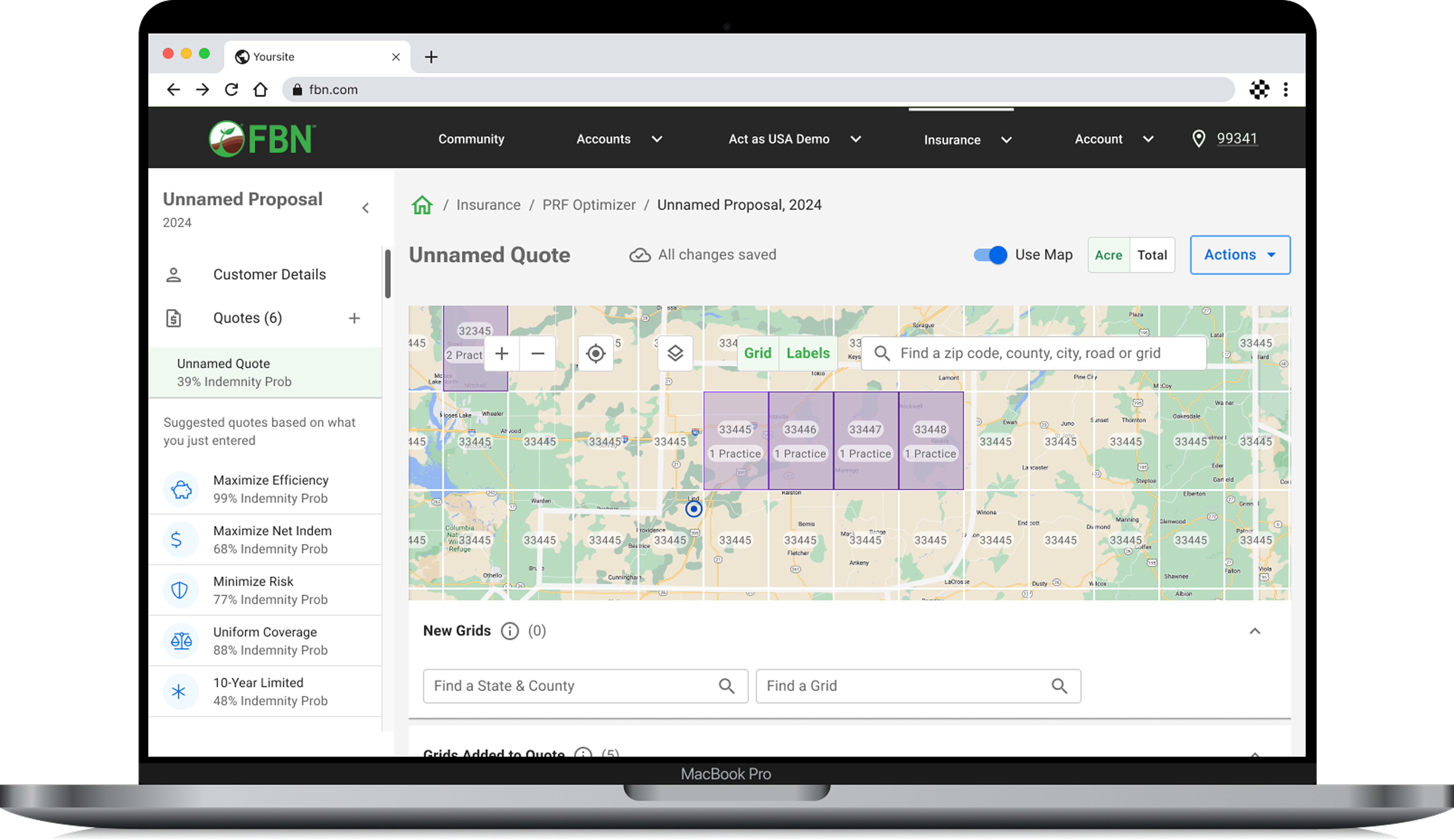
Insurance Optimizer case study
FBN | InsurTech

Insurance Optimizer

Reducing the time to quote a B2B policy from 20 to 3 minutes, increasing leads by 18%

Banking as a Service case study
FBN | Fintech

Banking as a Service

Saving borrowers thousands by identifying gaps in loan pay-off data & prioritizing the UXD