
Top
FBN | InsurTech

Insurance Optimizer

FBN digitizes agricultural business operations that are largely offline and relationship-driven, such as insurance policies. Rainfall Protection is insurance coverage for farmland crops that could be damaged by abnormally low or high rainfall. FBN built an internal data science tool that optimized rainfall protection quotes for which I designed the zero-to-one productized experience.

My MVP design focused on paring down a vast set of visualizations, making them product-ready; defining valuable Optimizer-derived policy options; creating a map-based coverage selection pattern; and, defining the end-to-end user experience. This case study covers the one-to-ten phase of design for this experience, identifying what the team and I learned, adjusted and launched.

PROJECT AT-A-GLANCE

MY ROLE Lead & Sole Product Designer
Lead User Researcher
PROJECT TYPE 1→10 Product Design
Data Visualization
B2B Insurance Quoter
IMPACT 17+ Min Reduced Time to Quote
18% Increase in Lead Opportunities
12%+ Increase Agent Positive Sentiment

Context

Initial State

Our team launched the zero-to-one MVP quoting experience in a single quarter, setting the stage for agents to experiment with it before the high-demand quoting season. The experience prioritized selecting coverage areas on the interactive map and generating quotes with the Optimizer. While the productionized Optimizer experience was now usable, interviews and feedback indicated that the manual quoting experience did not meet agents’ needs with respect to efficiency.

Audience

The audience included agricultural insurance agents, agents who are often farmers, and small and medium size farm owners. Their core use cases were to define a coverage area, define coverage preferences, review coverage options and share coverage options. The experience also needed to help customers understand why a policy option is proposed so they can determine if it meets their needs & risk tolerance.

Research

After the first production release, a survey went to all agents with a 75% response rate, 23 agents joined a follow-up focus group and 5 joined moderated interviews. Three themes emerged: “Time to Quote” is critical for top and middle of funnel, “Explainability & Trust” is essential to build quote confidence, and “Optimizer” speed in processing and delivering options are critical to provide value.

1→10 Needs

My research uncovered a new use case at trade shows. Given that the time to engage producers is so short (about three minutes), when agents present quotes at trade shows and on the go, then efficient presentation of quotes is key to getting producers engaged and interested in learning more about Rainfall Protection coverage. This discovery led to a refreshed problem statement and a one-to-ten redesign of the quoting experience.

Agent Pain Points

01 | Model-Derived Quote Speed & Trust

Waiting for quotes to load in a live trade-show or meeting left agents apologizing for a poor experience and trying to keep prospects’ attention. Further, the quote was derived from an unfamiliar, but powerful data science model that agents could not adequately explain to farmers. Given this friction, when quoting a policy, the experience must communicate system status and explain the model rationale in a human-centered way that helps users make informed decisions.

Agent POV
Likes

Quotes backed by data help me recommend coverage with confidence.

Dislikes

A quote that takes too long to produce and that I cannot explain is hard to trust and promote.

Needs

Human-centered explanations about suggested coverage and design patterns to efficiently produce suggested options.

How might we support efficient data handling and explain system status and quote options in a human-centered way to help users make informed decisions?

KEY CONSIDERATIONS

Data Transformation

Thirteen visualizations transformed into two interactive visualizations
IA User Control

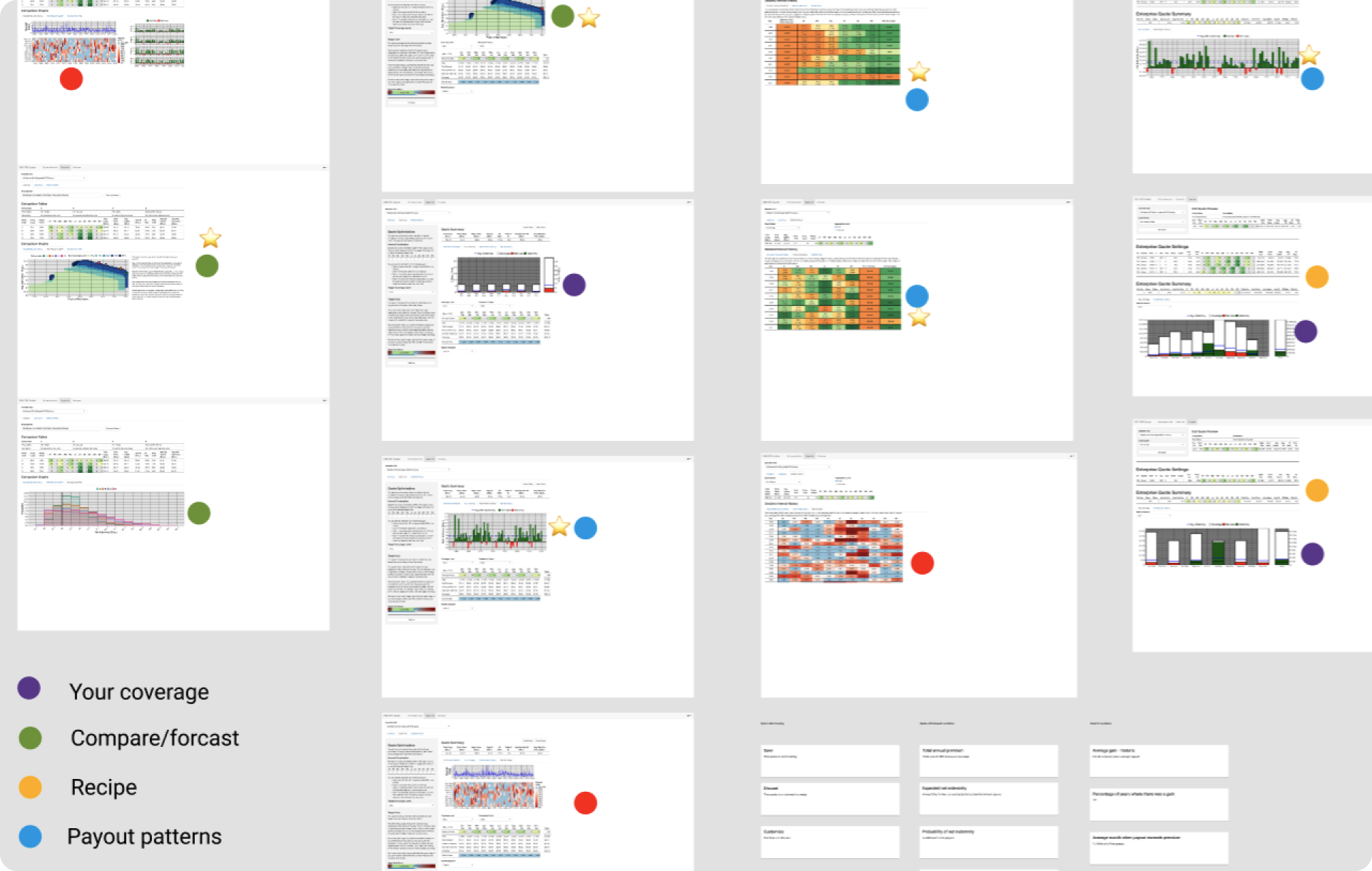
In my zero-to-one design, I convinced the team to transform 13 unique visualizations into two interactive visualizations. My design eliminated redundancy and prioritized the essential information agents needed by focusing on historical performance and forecasting outcomes. My design enabled agents to independently assess quote potential rather than needing navigation and interpretation support from our team’s data scientist. At the same time, processing the data and visualizations was time intensive, taking more than three minutes at times.

Data Prioritization
Prioritizing front-end data output of low-intensity, high-value content
Design Strategy Time Savings

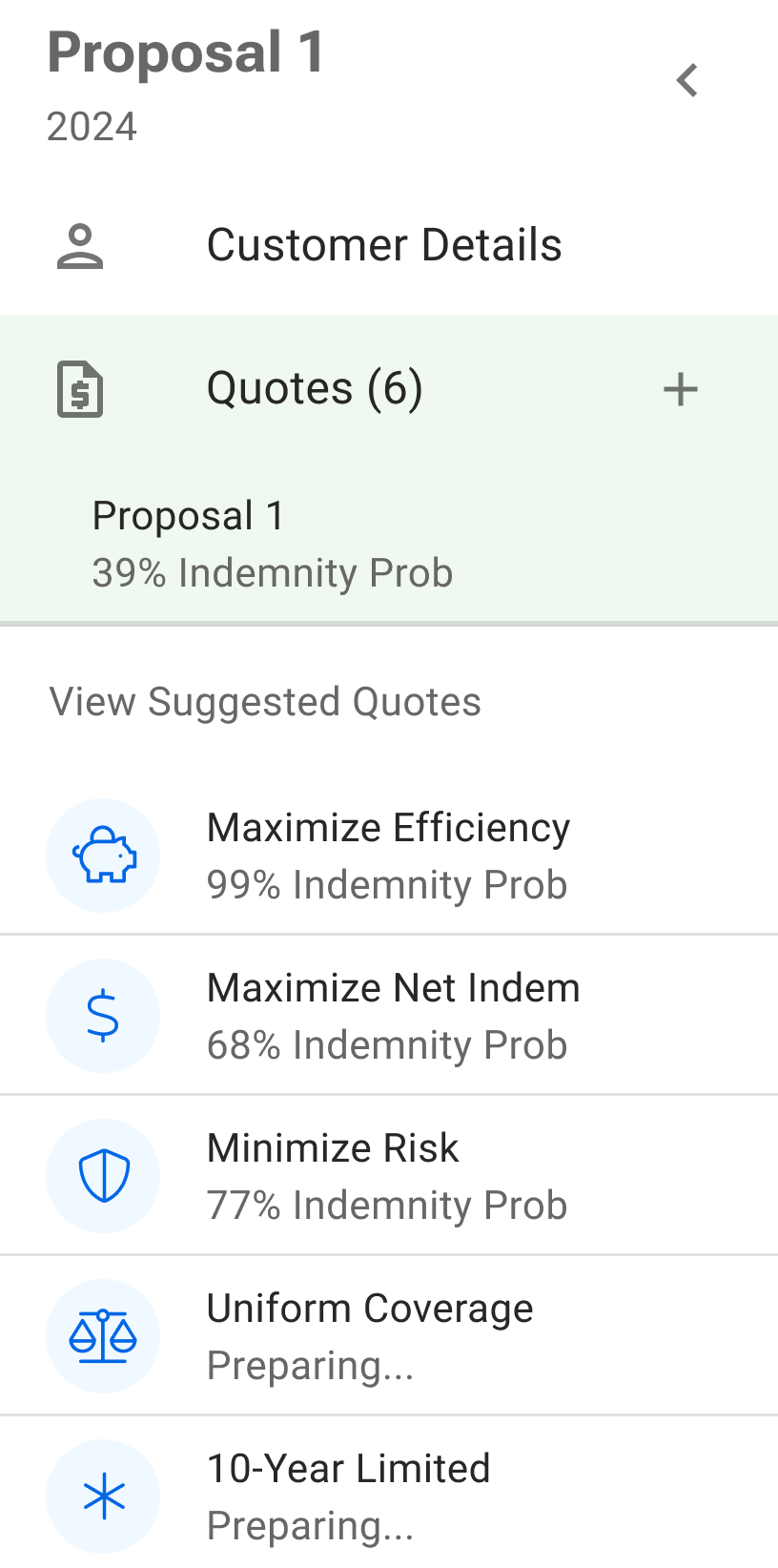
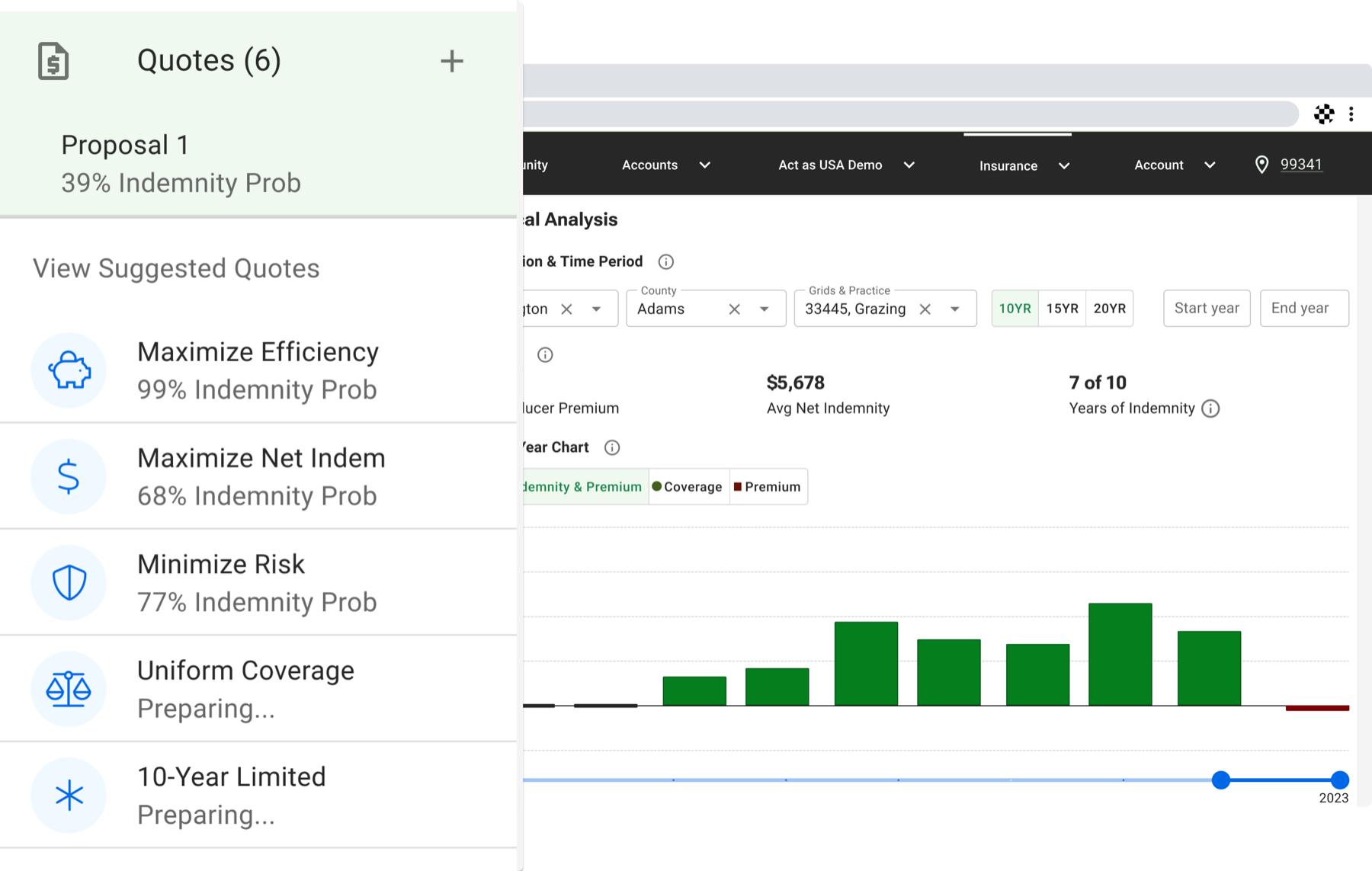
While my zero-to-one design focused on data transformation, my one-to-ten design focused on data-handling to help in the technical efforts to reduce the time to prepare a quote. My design changed the flow of information to de-prioritize back-end data-calls and the output of data-intensive content and prioritize front-end data output of low-intensity, high-value content. This included automating calls for suggested quotes, enabling them to load one-by-one in the background, and giving users upfront manual control. Eliminating the mandatory back-end call unlocked the potential to output a quote in less than 3 minutes.

Explainability & Trust
Agents testing the quoting experience at a trade show
Increase Clarity Reduce Risk

Prioritizing the data handling and simplifying the data output enabled a reduction in the elements needing status labels as well as the complex content needing human-centered explanations. It meant eliminating multi-step triggers and notifications based on time and simply communicating loading and complete states, where complete could be a returned error with an option for correction. Agents provided guidance regarding what trade-offs customers should consider when evaluating policies and appreciated surfacing complex information with progressive disclosure.
02 | Time to Quote

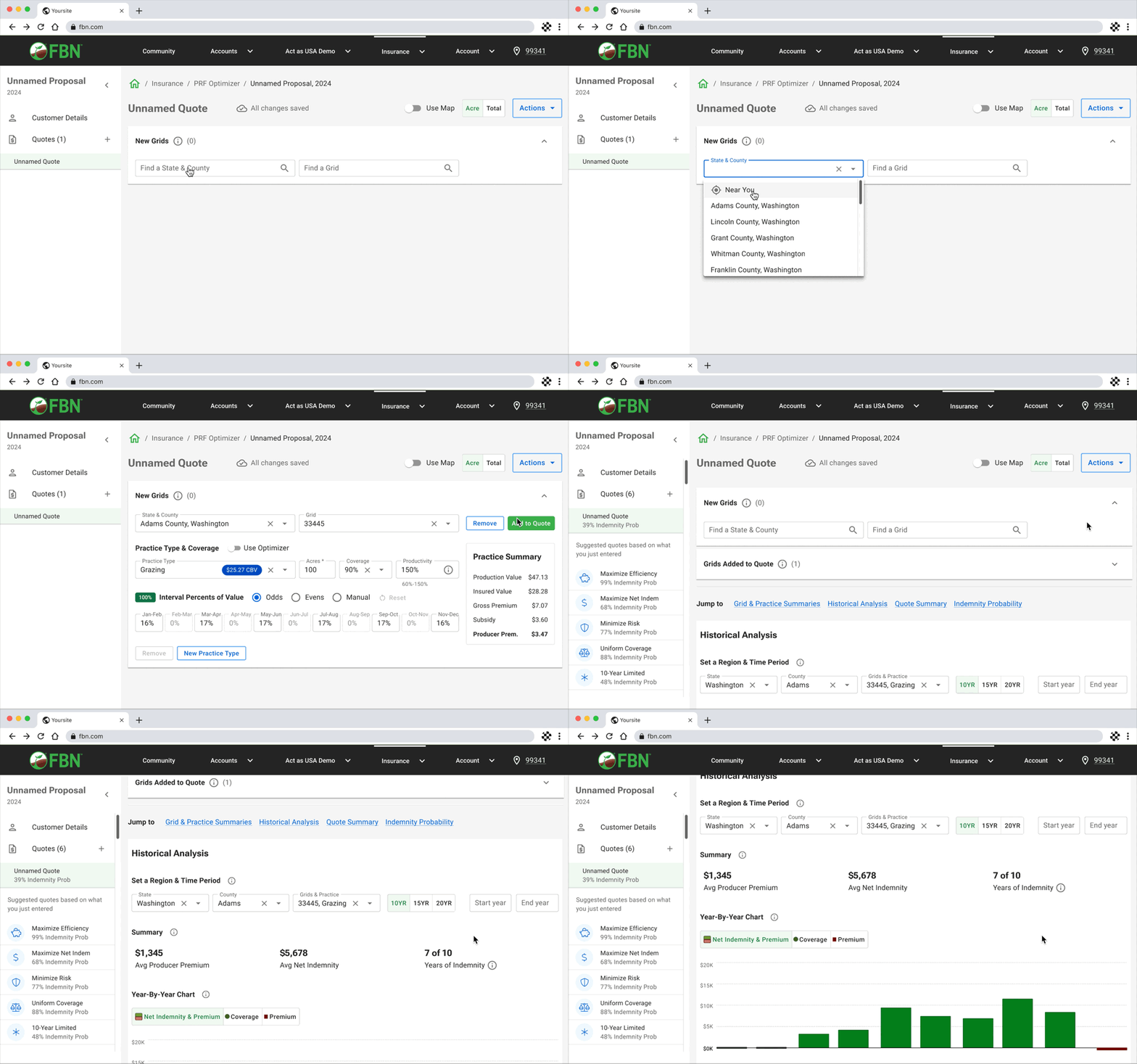
Agents quoting at trade shows and on the go have only about three minutes to engage a producer, yet building a quote took around 20 minutes. Given a three-minute time constraint, when agents live-quote policies, the experience must prioritize essential information at the right time in order to reduce both system and user cognitive load.

Agent POV
Likes

The optimizer gives me reliable, data-informed coverage suggestions.

Dislikes

Creating a quote takes too long to hold a producer’s attention at a trade show or on-the-go.

Needs

A quote I can build and present in three minutes or less.

How might we support quoting experiences that attract prospective customers in three minutes or less?

KEY CONSIDERATIONS

Two Clicks to Quote

Producing a quote with two clicks
Time Savings Personalization

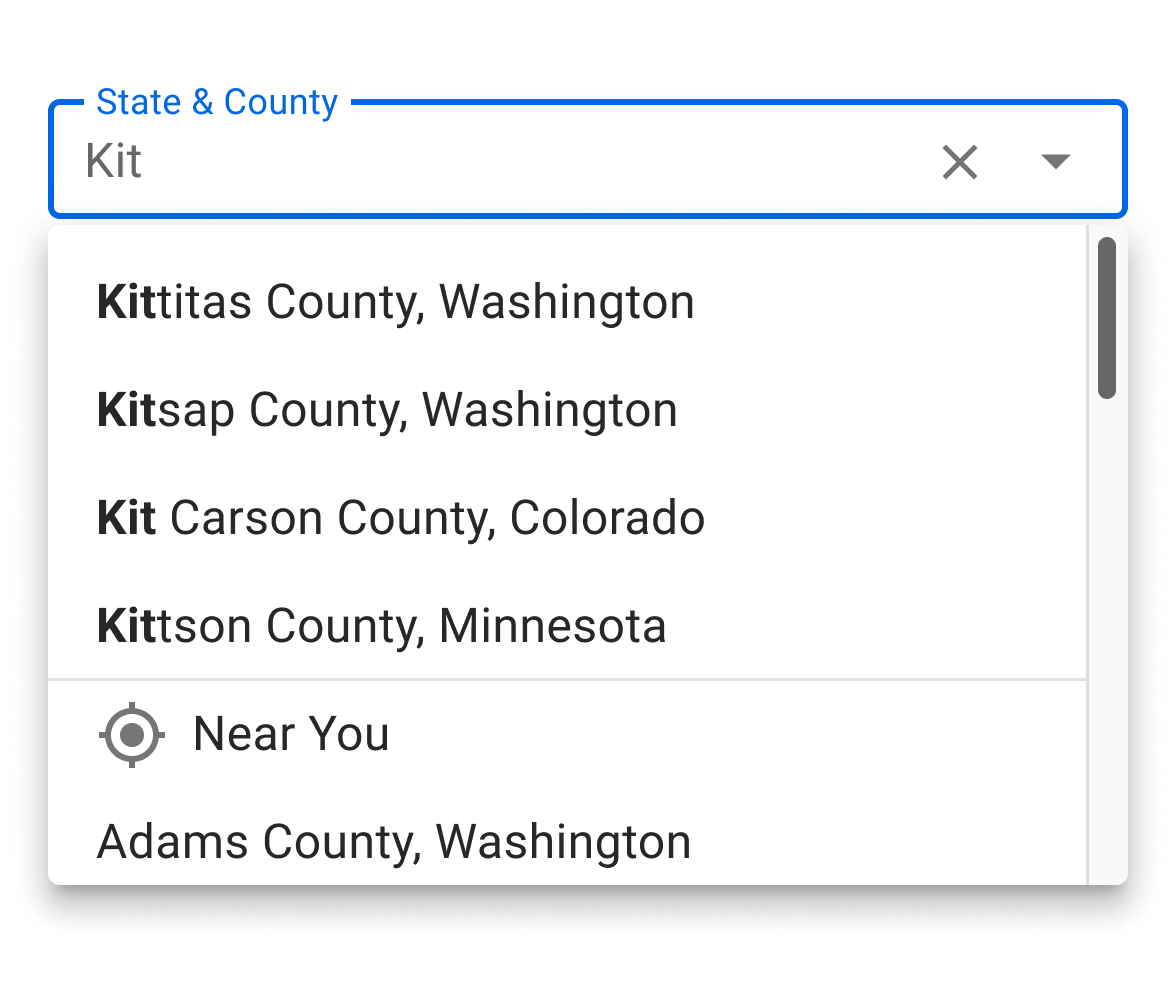
Auto-populating initial quote data to produce a quote with just two clicks was a crucial time-saver for agents. My design considered the minimum amount of information needed to produce a quote and surfaced two editable auto-complete search fields with localized data in order to surface results in less than one minute, depending on internet reliability, demonstrating potential policy value and engaging customers. When customers became engaged, they asked more questions and the quote could be adapted live through conversation and guidance.

Single Page

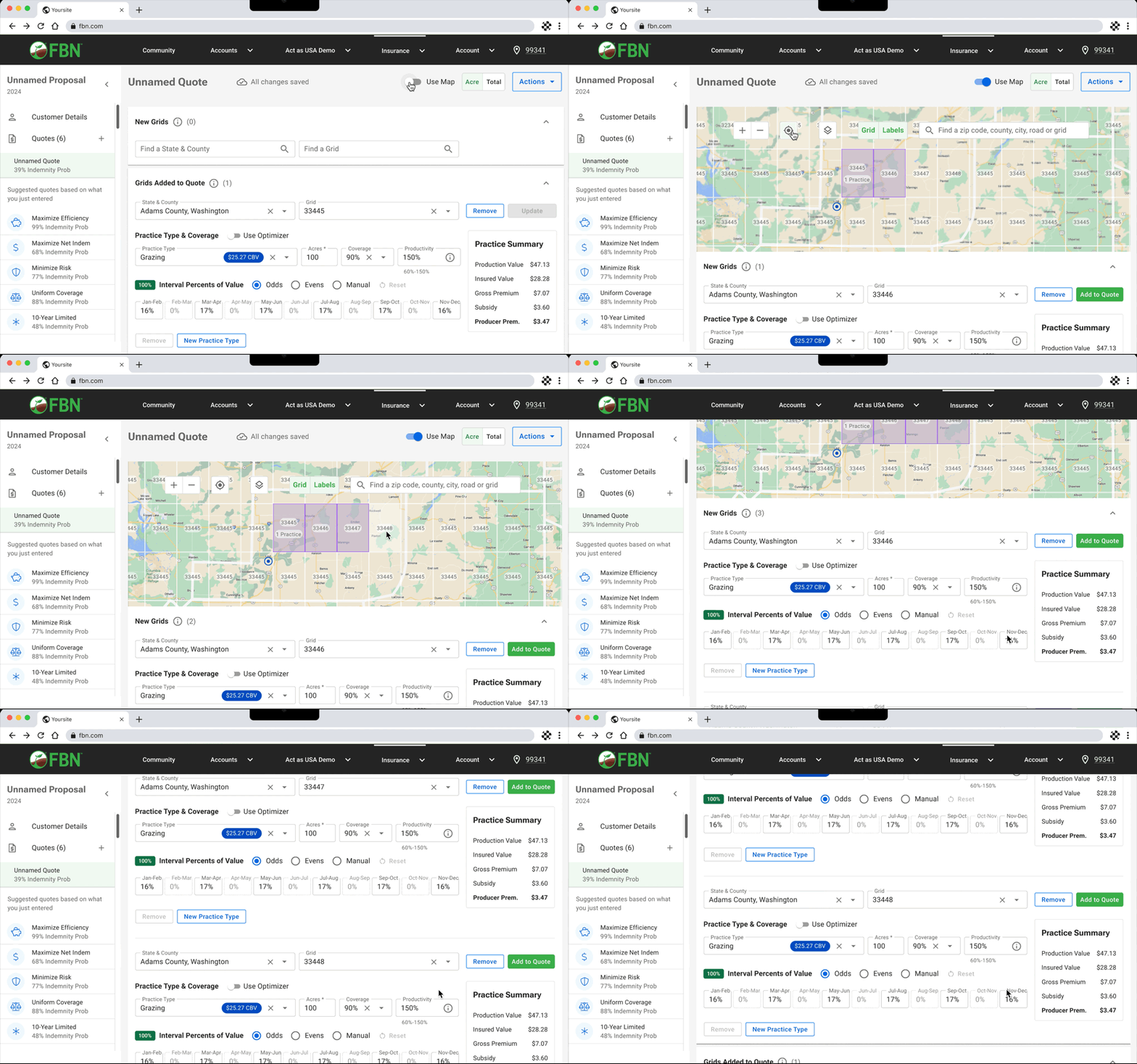
Single page quoting experience with the map toggled on and off
Cognitive Load System Speed

I explored two concepts and tested them with 7 agents in moderated split testing. Concept 1 took a tabbed approach, surfacing a dedicated map tab and a dedicated coverage needs tab. Testing showed higher friction engaging with the map and defining coverage, and agents raised significant concern about internet reliability. Concept 2 used a single page approach where the map toggles on and off and coverage needs are defined in the same screen. Participants showed clearer understanding when defining coverage, ensuring Concept 2 was productionized.

Optional Map

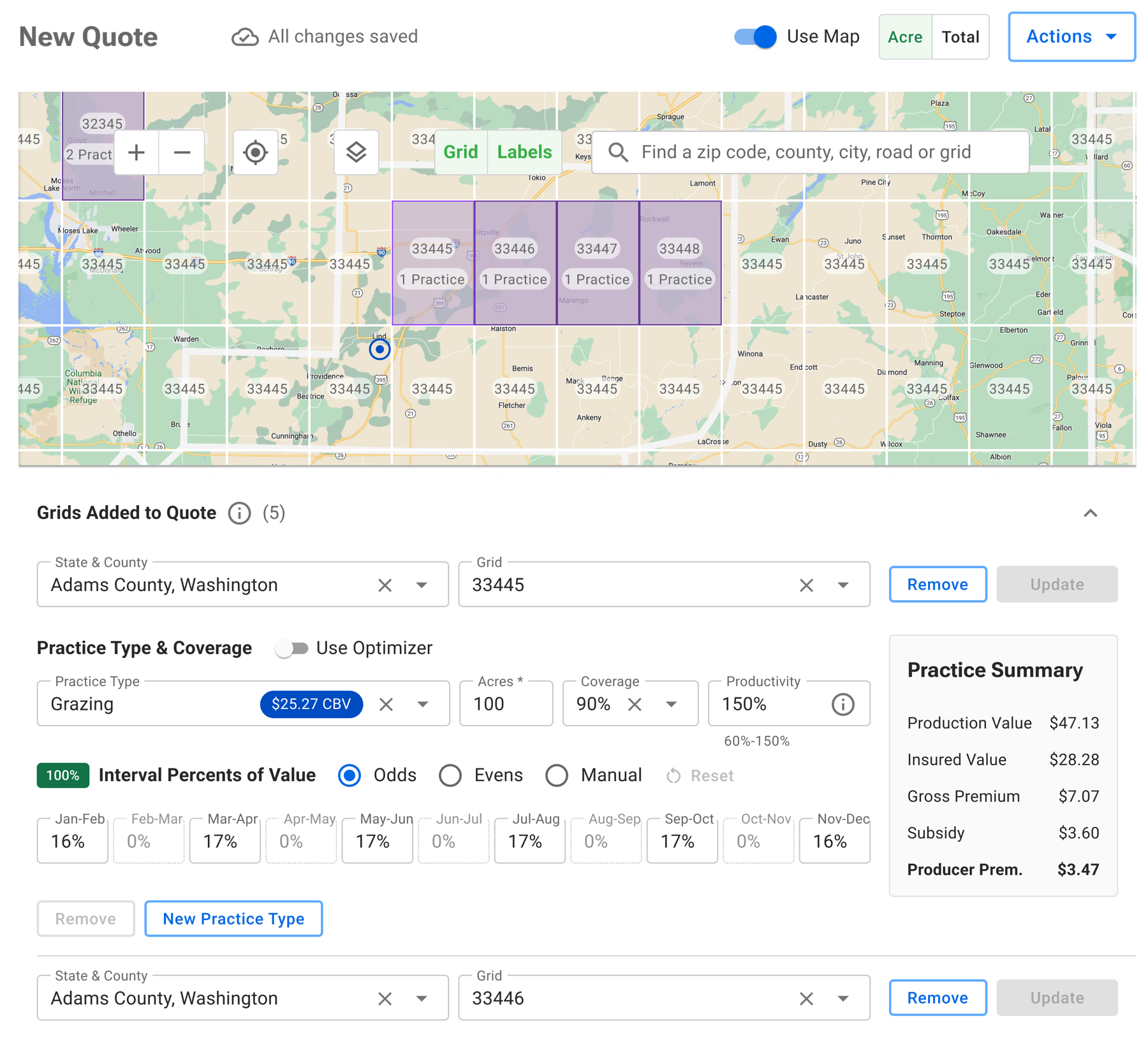
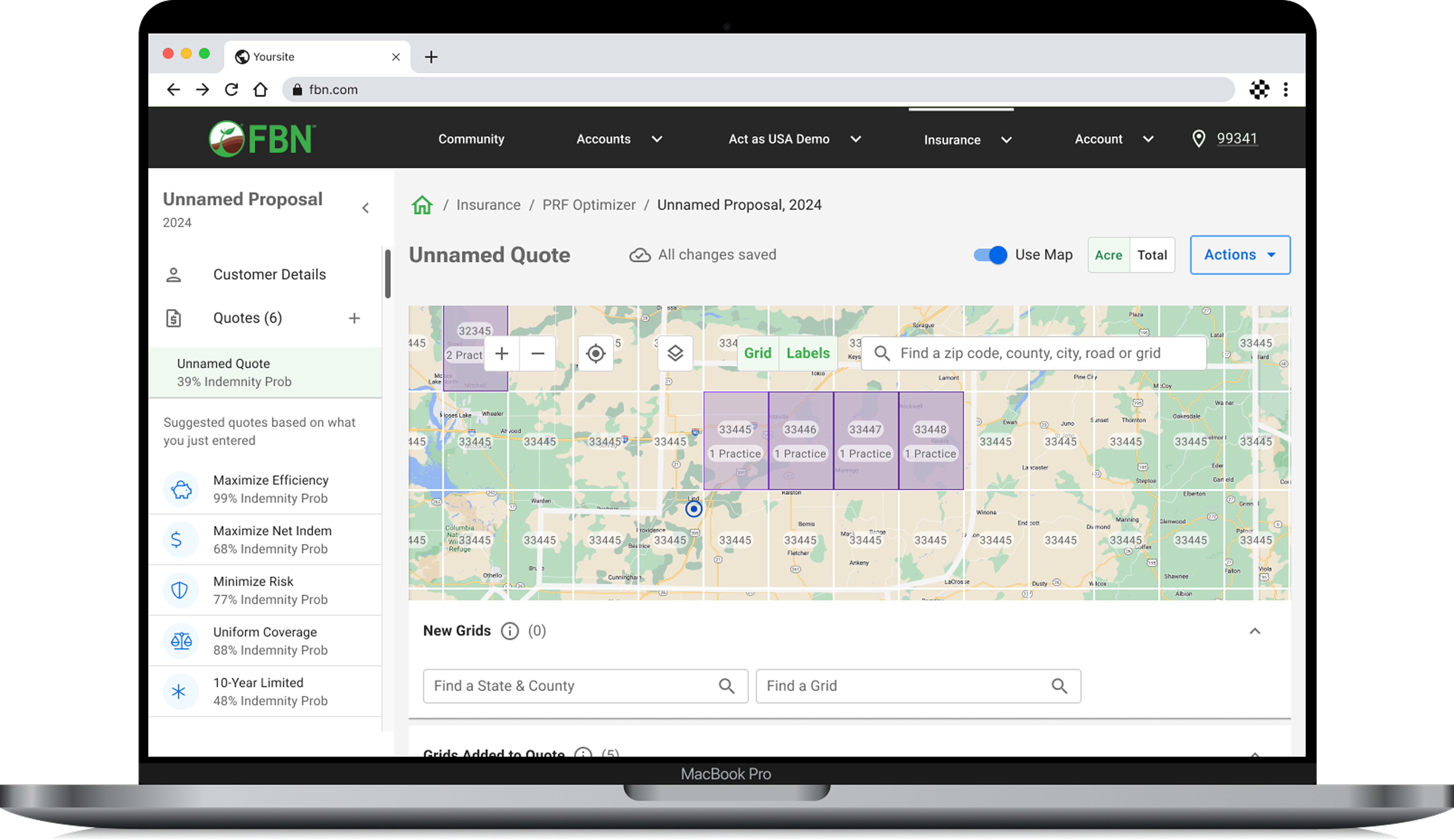
Selecting a coverage area on the map
User Control Growth

While a single page experience was essential to optimize for speed under poor internet coverage conditions, a mapping experience was still important to agents working with larger territories and farm entities. Selecting coverage areas on a map reduced the risk of loss of a prospect due to lack of familiarity with a geographic area.

03 | Understanding Cost-Benefit Scenarios

Customers want to understand cost-benefit scenarios when they evaluate coverage options, but quote details lived in complicated premium tables. Given that customers want to understand cost-benefit scenarios, when they evaluate quote options, the experience must prioritize quick display of unique views of data and probable outcomes.

Agent POV
Likes

Being able to interact with important data to evaluate a quote.

Dislikes

Complicated premium tables make it hard to see the value of a policy.

Needs

Quick views of data and probable outcomes to compare coverage options.

How might we enable agents and customers to interact with important data in order to understand cost-benefit scenarios?

KEY CONSIDERATIONS

Indemnity Probability

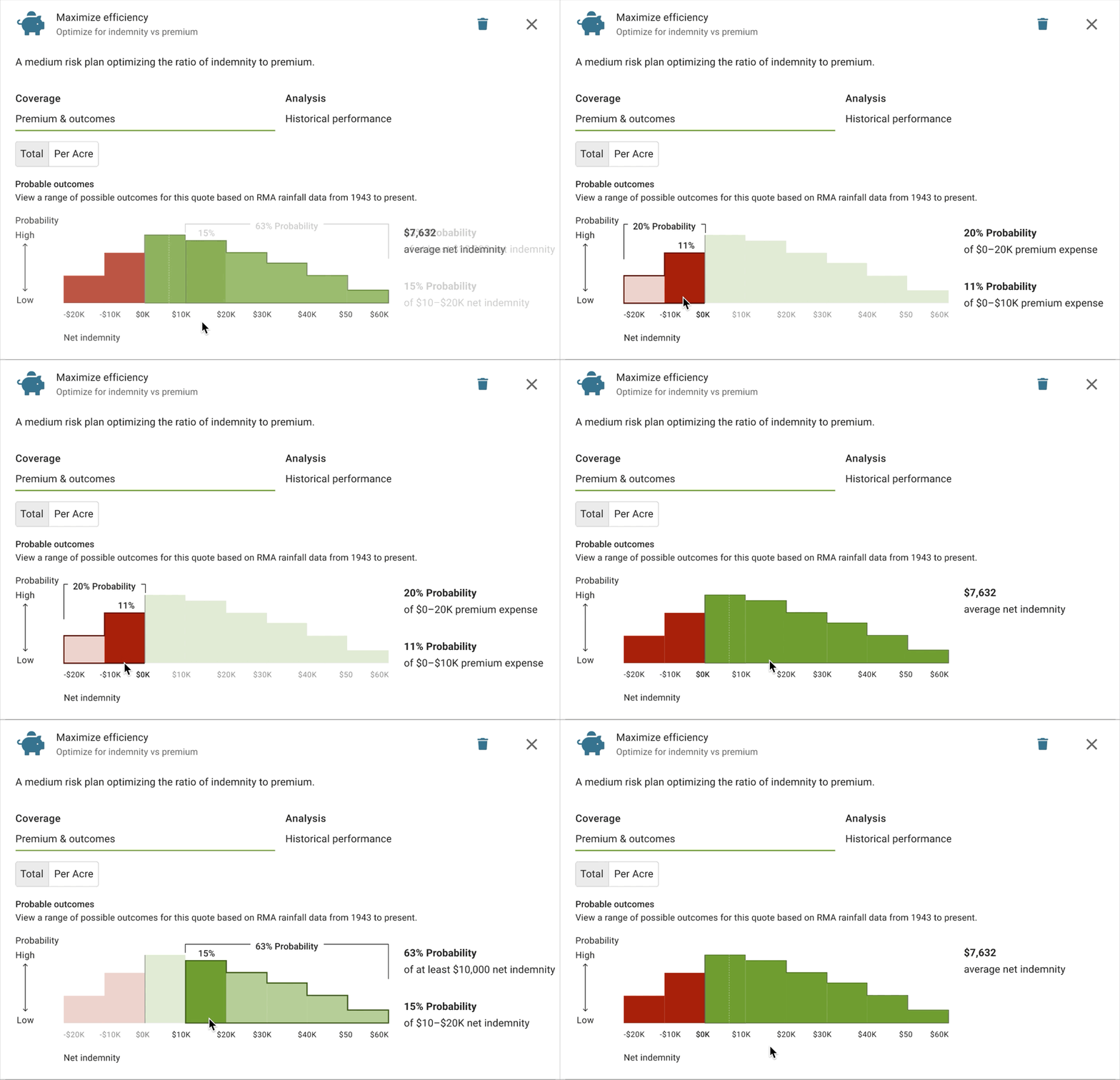
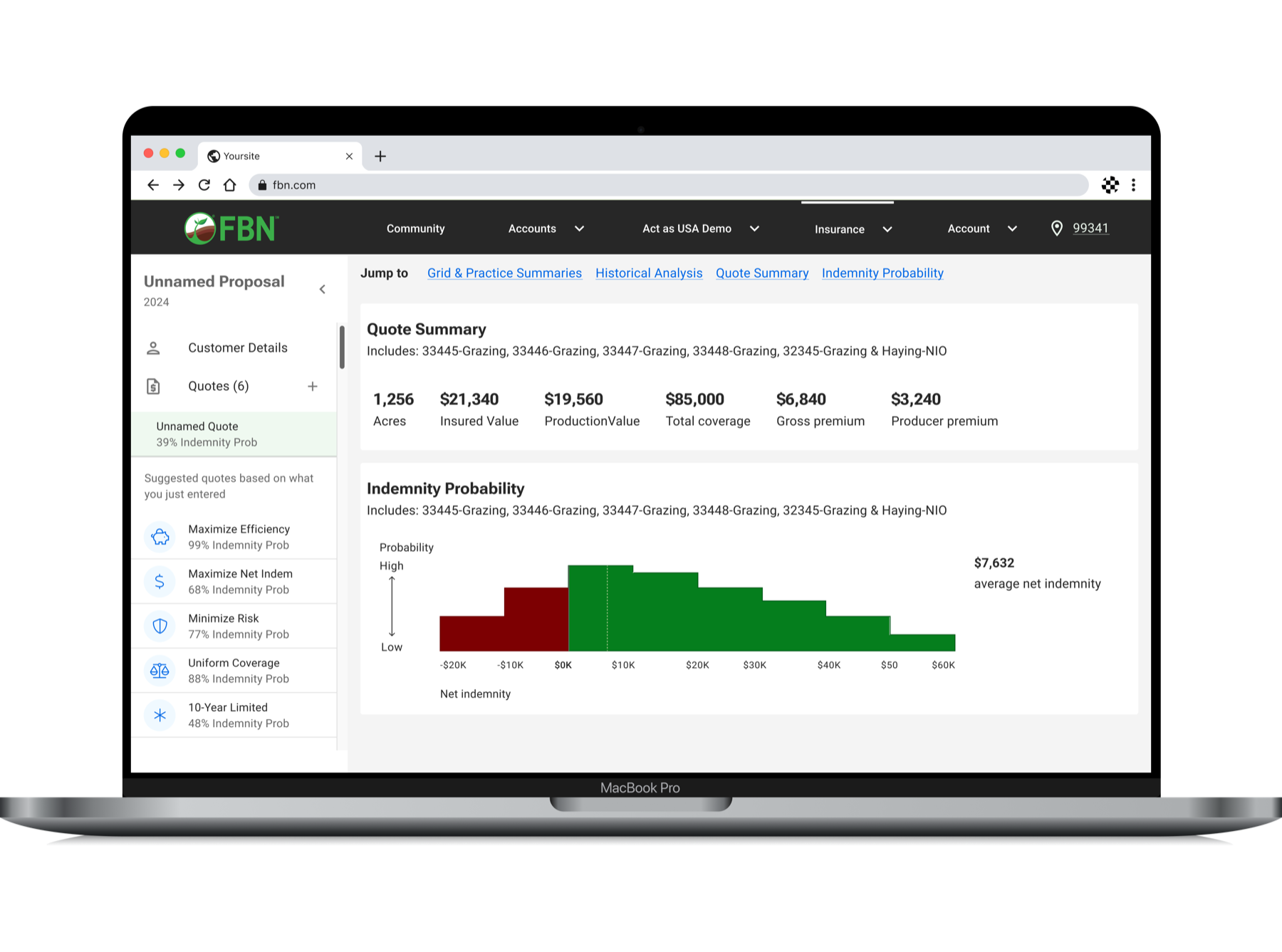
Indemnity Probability Histogram showing the range of probable outcomes
Data Insights Risk Awareness

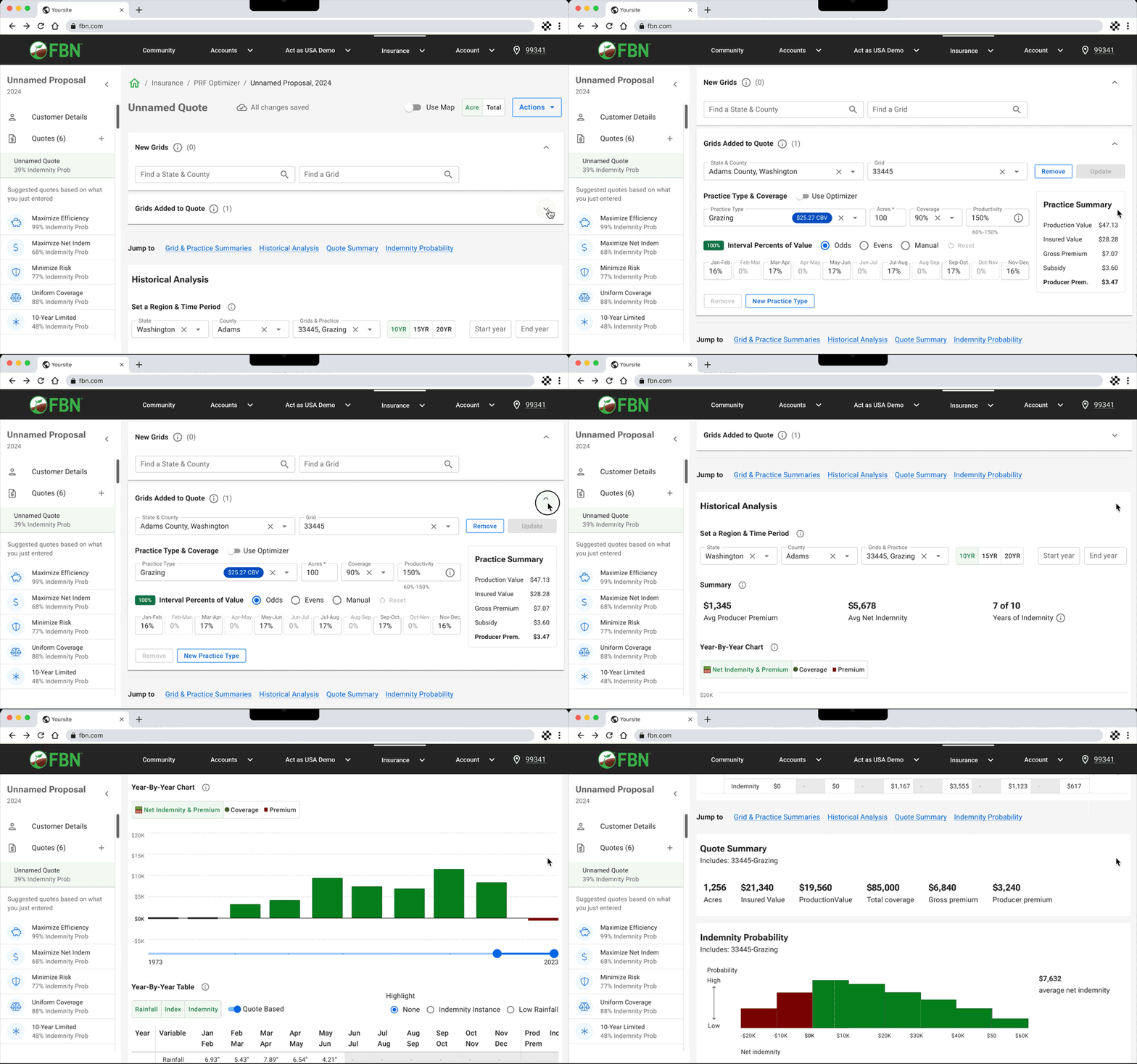
The Indemnity Probability Histogram visualizes the likelihood of an indemnity payment from the suggested policy. Rather than viewing complicated premium tables, this chart clearly shows the value of the policy at a glance.

Indemnity History

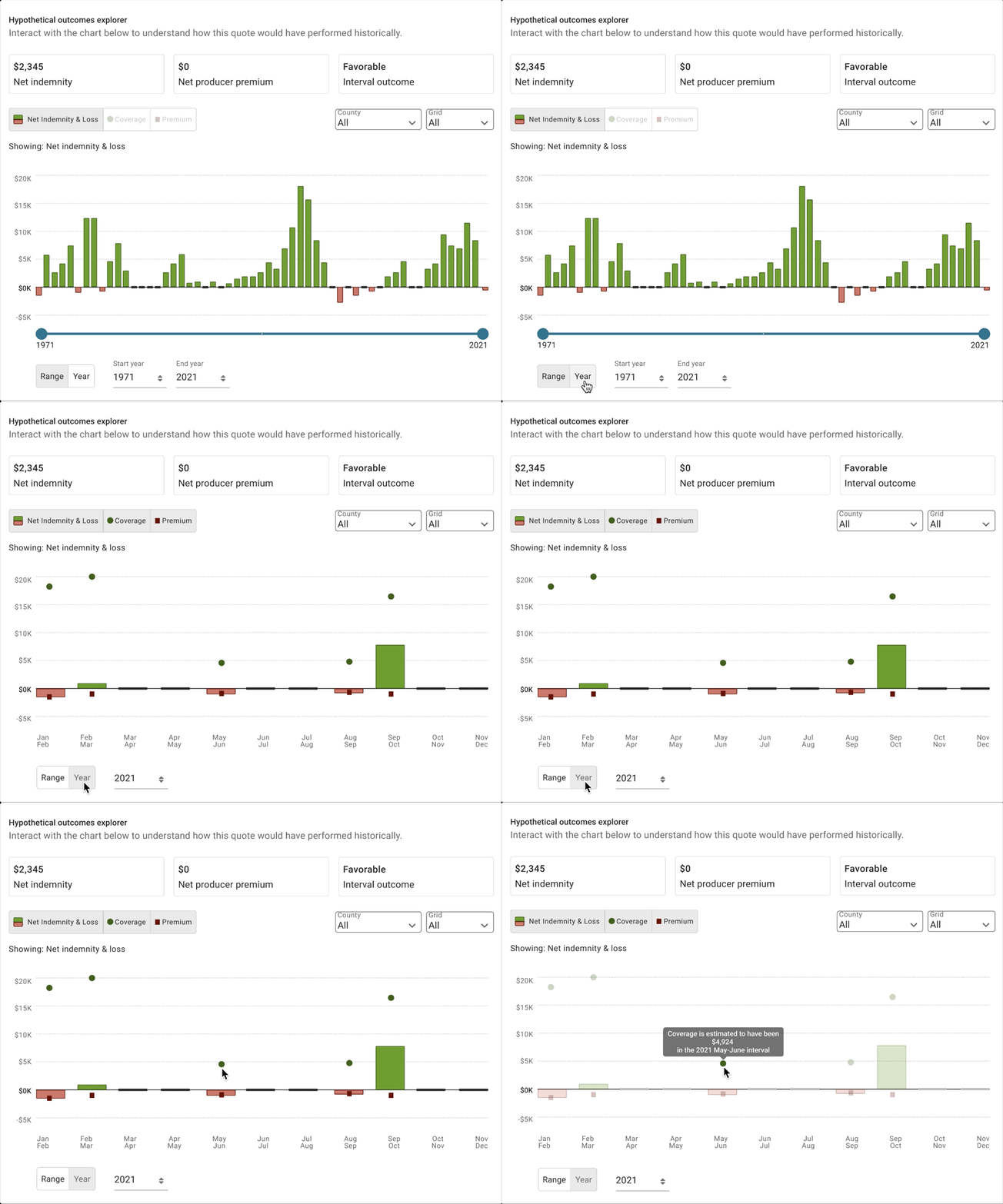
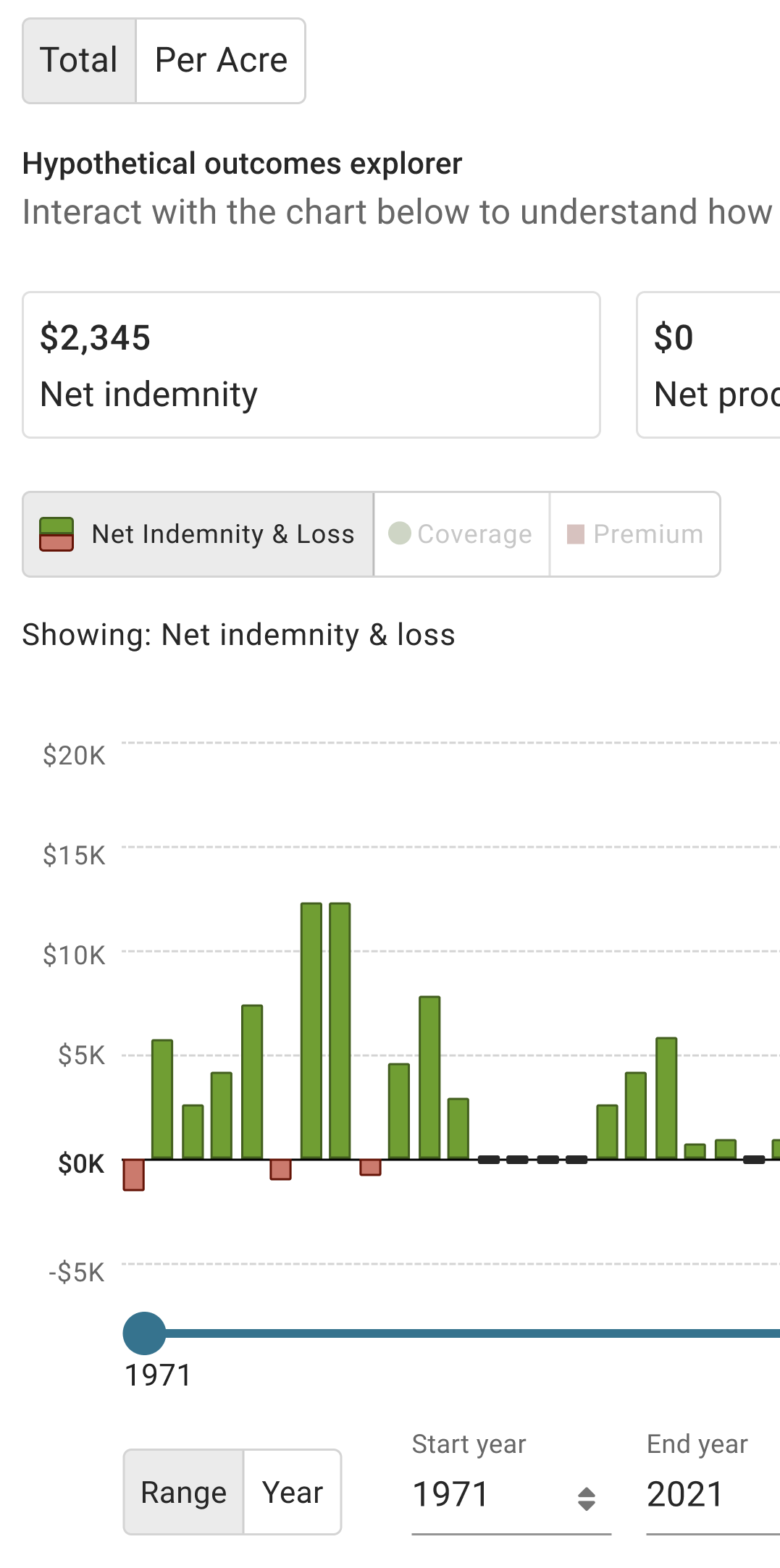
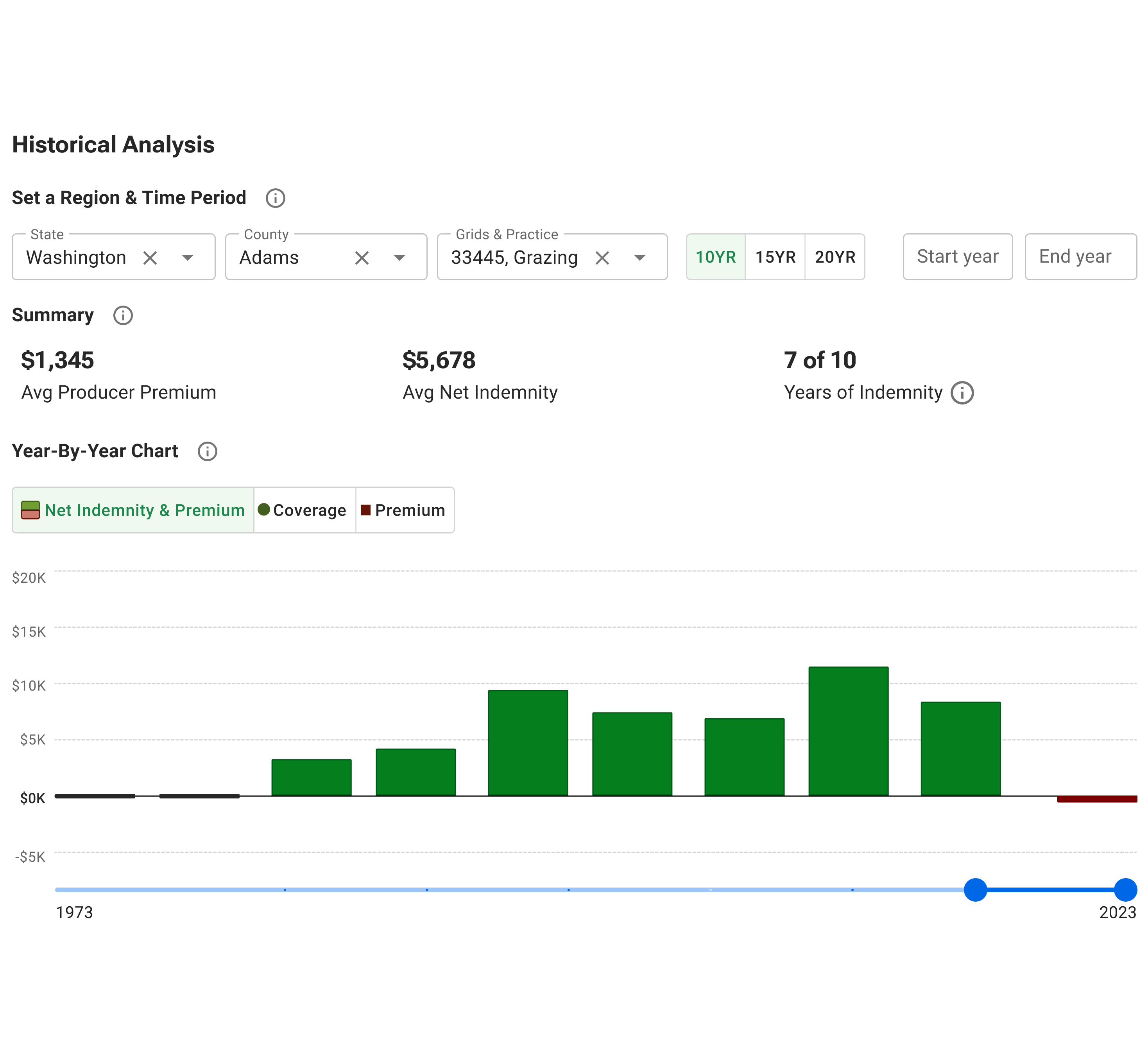
Interactive chart of historical net indemnity and loss by year
Data Insights Risk Awareness

My interactive visualization enables agents and customers to view the historical data informing the quote and to assess how they might like to take risks in their coverage by viewing highlighted indemnity payments and highlighted risks based on historical rainfall shortages.

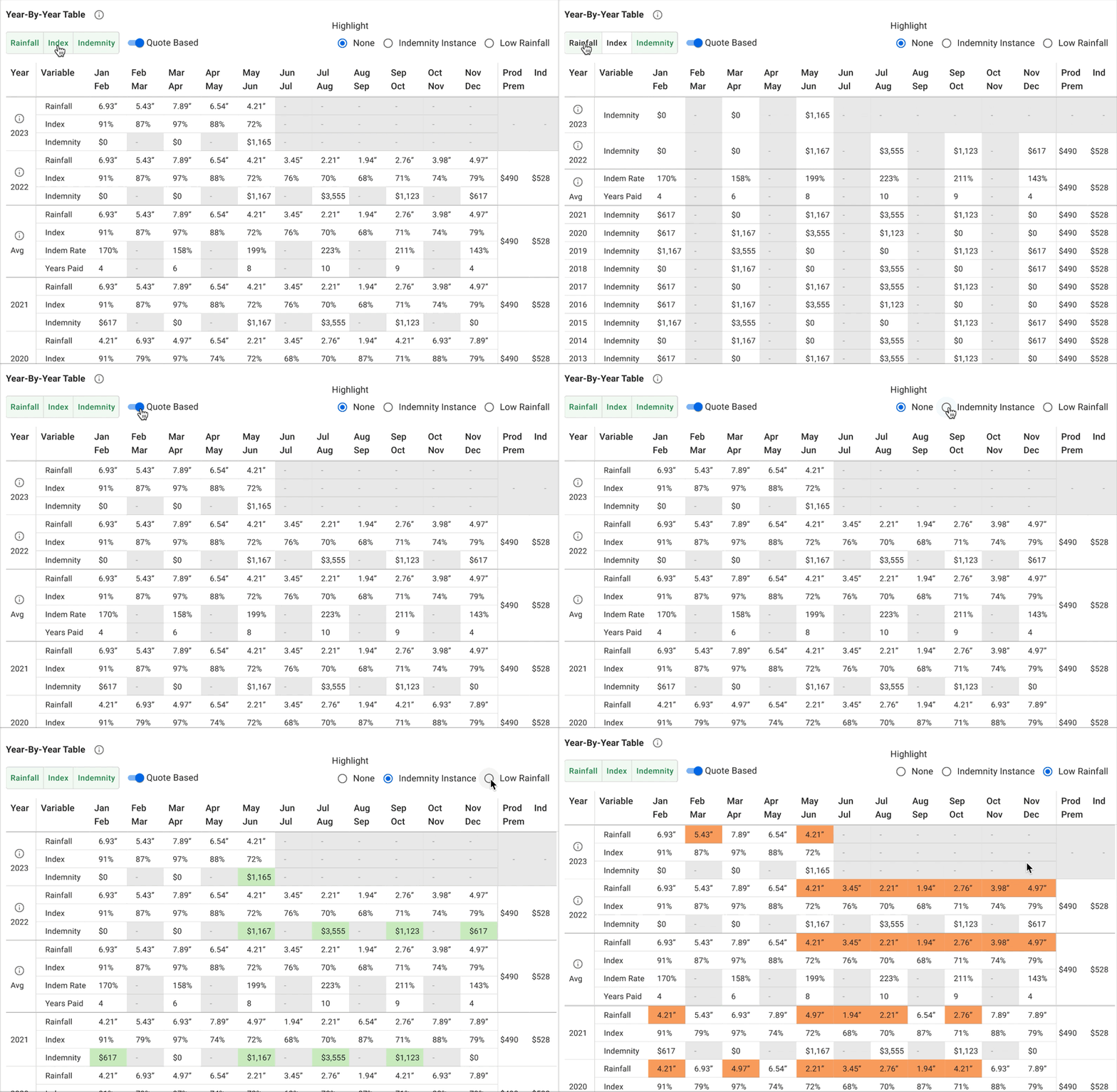
Year-By-Year Table

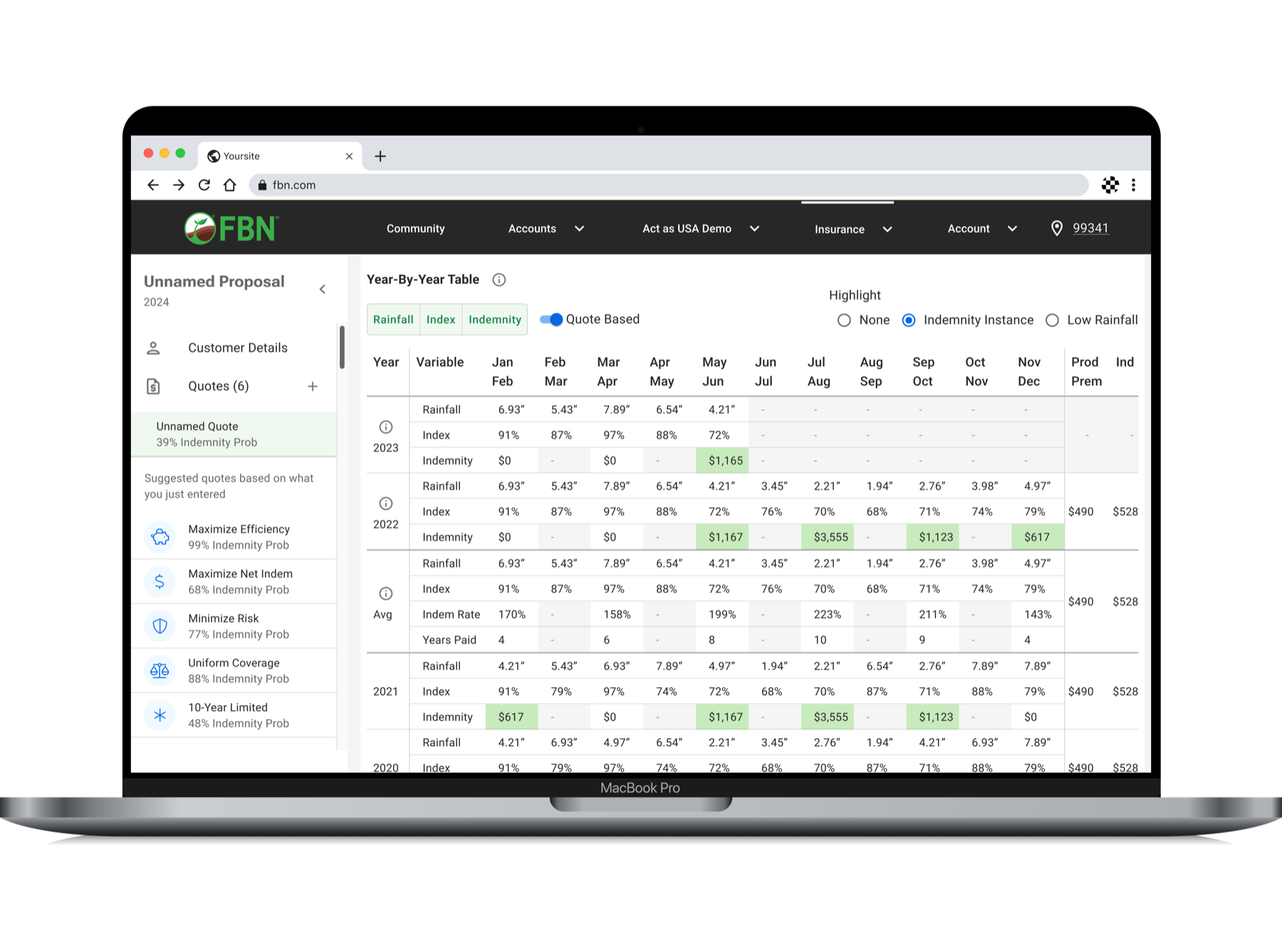
Interactive year-by-year table of historical indemnity payments
User Control Increase Clarity

Similar to my chart design, my interactive table design offers additional historical data in an alternate view for prospects that need more detailed information and are considering their next step. This view also offers controls to reduce cognitive load and highlight indemnity payments and historical rainfall shortages.

Bringing It All Together

Insurance Optimizer productized a data science model into a single page quoting experience that helps agents engage prospective customers in three minutes or less. It reduced “time to quote” from about 20 minutes to three or less, increased lead opportunity by 18% and gave agents a more personalized experience with more control.

Selecting a coverage area with the map

User Control

Select coverage area with map or State & County & Grid search fields

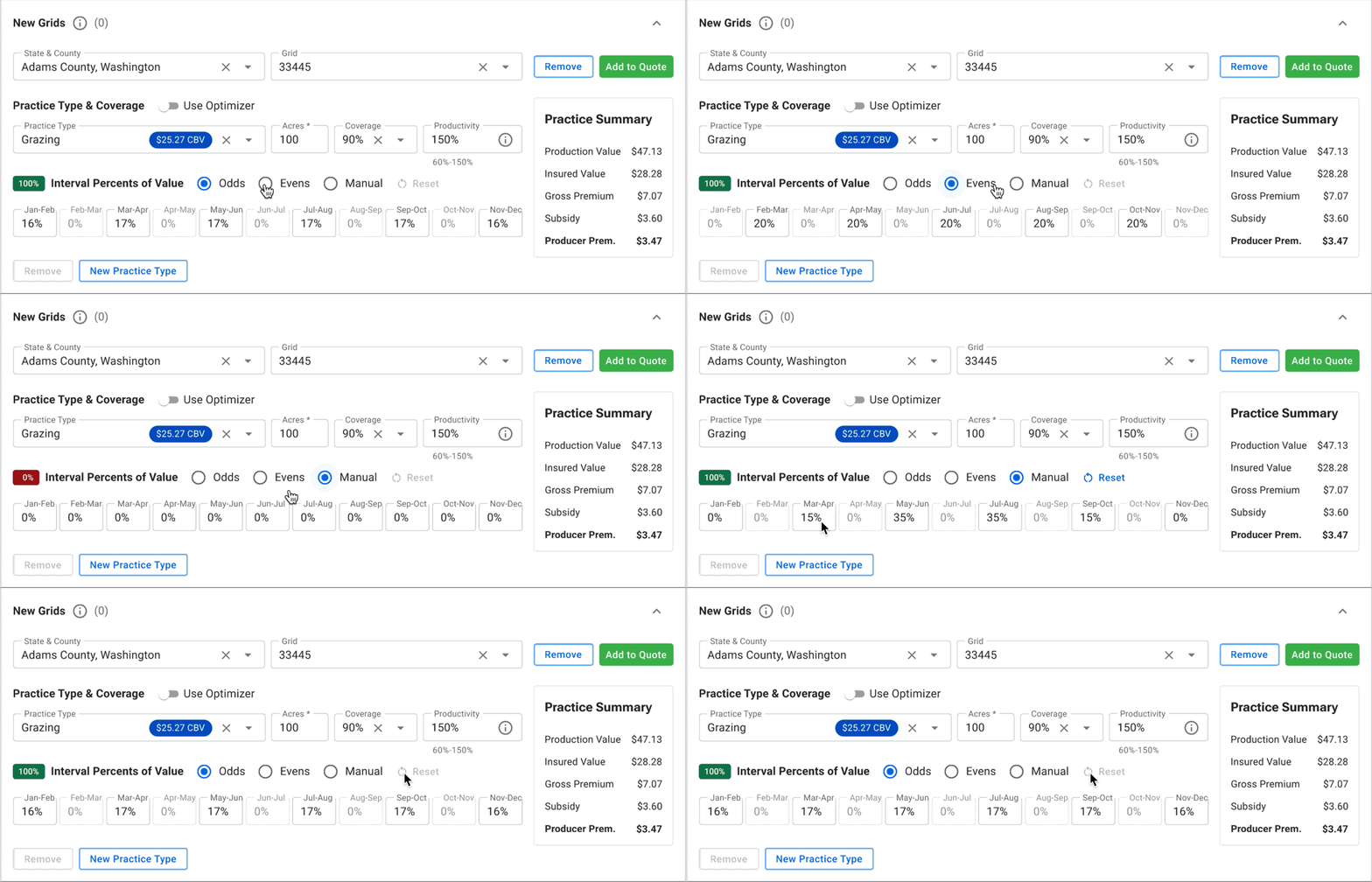
Coverage form recalculating premiums as selections change

Real-Time Results

Coverage form acts as calculator for front-end derived premiums

List of suggested quotes created automatically

Saving Time

Automating creation of suggested quotes optimized data-intensive back-end calls

Indemnity probability histogram on desktop

Visualizing Opportunity

Indemnity probability visible at-a-glance demonstrates quote value

Year-by-year table with controls on desktop

Reducing Cognitive Load

Controls for flexible views of large data-sets, highlighting essentials

Historical patterns of risk and reward

Visualizing Patterns

Historical patterns of risk and reward demonstrate quote value

Location recognition and autocomplete when choosing a coverage area

Personalization

Saving time with location recognition, recall & autocomplete

Pre-set controls for the viewable historical period

Responding to Feedback

Simplifying viewable period with pre-set controls

More Case Studies

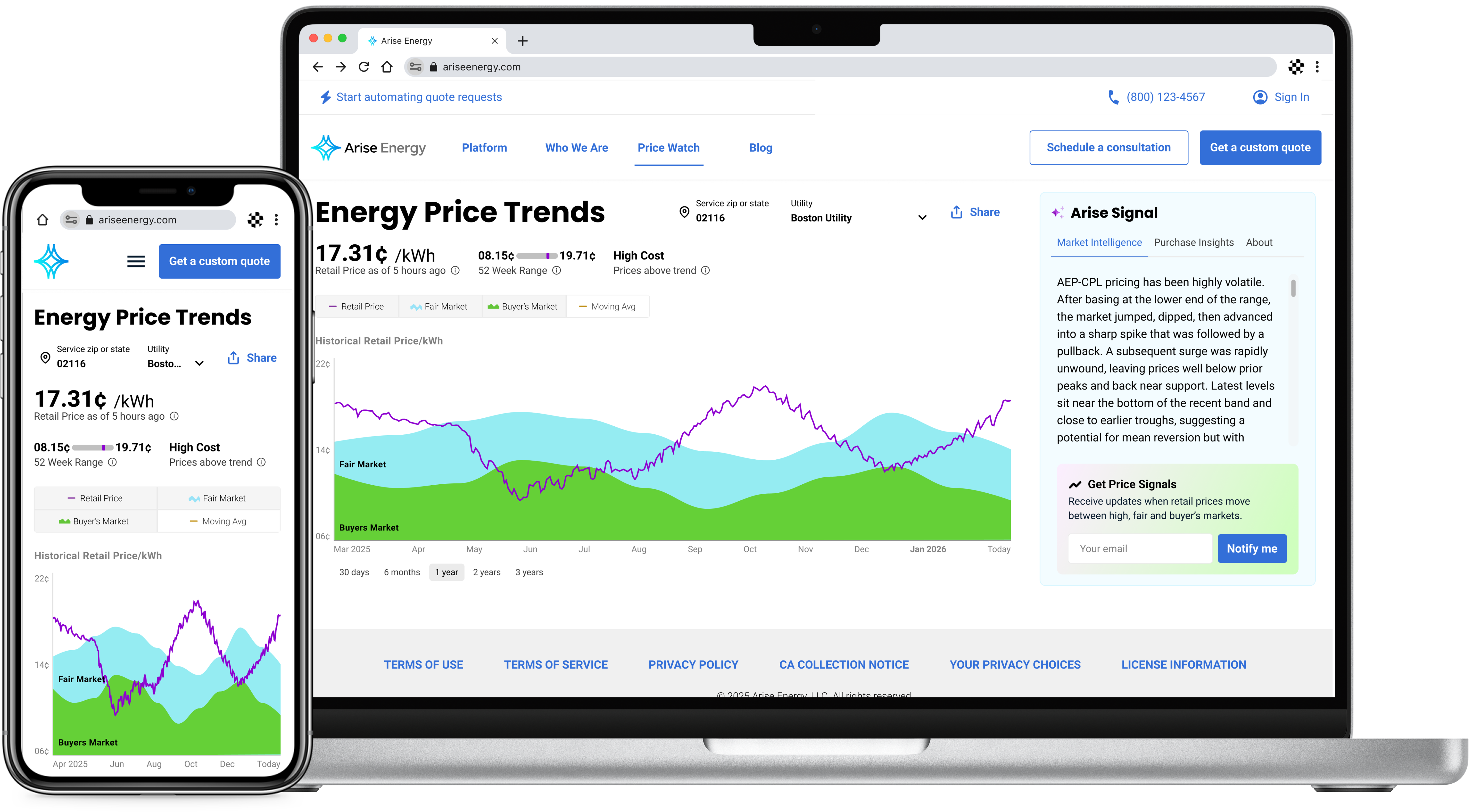
Price Watch case study
Arise Energy | B2b Growth

Price Watch

Enabling thousands in savings for SMBs with a first-of-its-kind pricing research tool

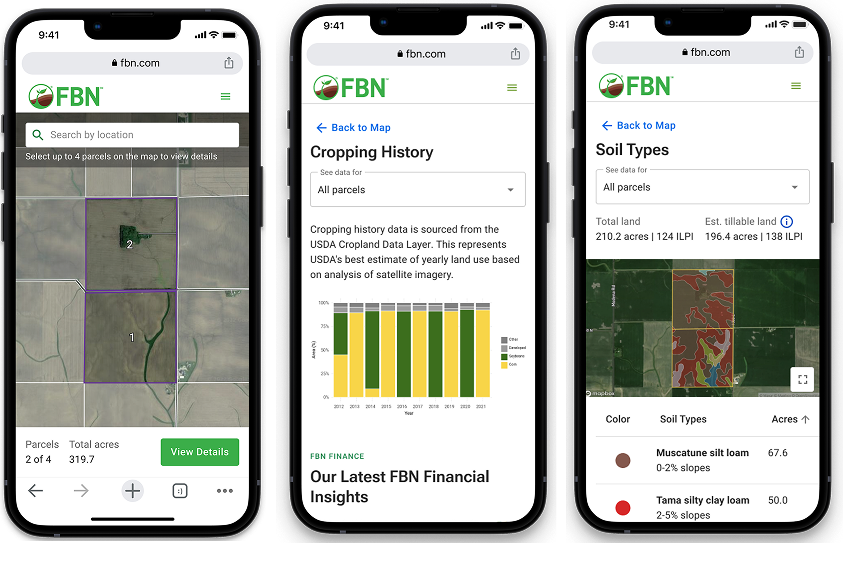
AcreVision case study
FBN | FinTech Growth

AcreVision

Leading cross-functionally to strengthen UX for a farmland research & valuation tool

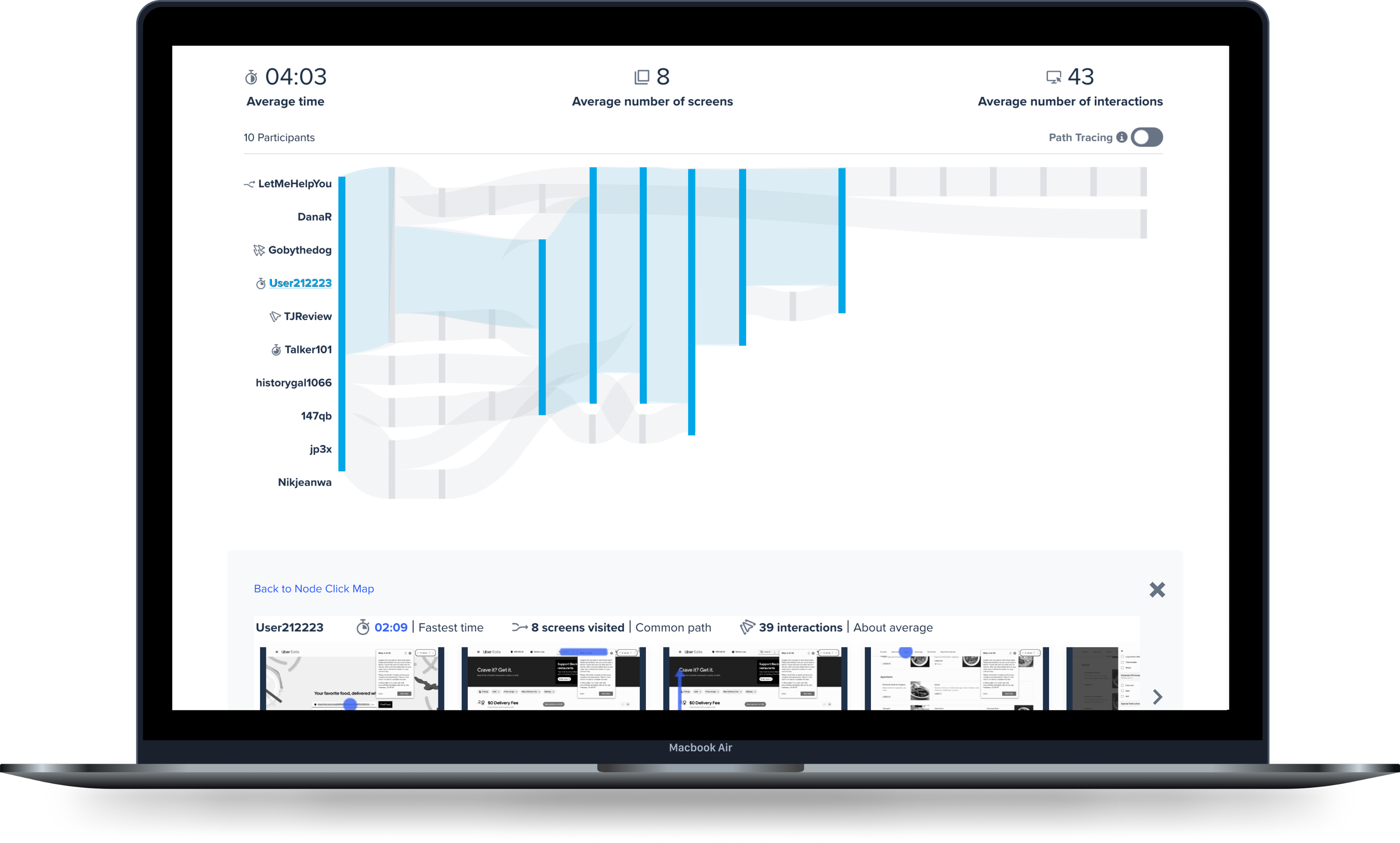
Interactive Path Flows case study
UserTesting | B2B CWM

Interactive Path Flows

Saving B2B users hours by bridging the quantitative & qualitative UXR analysis gap

Banking as a Service case study
FBN | Fintech

Banking as a Service

Saving borrowers thousands by identifying gaps in loan pay-off data & prioritizing the UXD